Product Data Sync
falconmedia/magento2-product-data-sync 45
Synchronizes product attribute data between products with profile-based configuration, multi-store support, batch processing, and dry-run validation. Includes comprehensive run history and logging.
Build Tests
Code Quality
Release Discipline
Release history audited up to v1.2.0
Tested on Magento 2.4.9
Recent Test History
Each release is tested against the latest Magento version at that time.
Top Contributors
View Leaderboard
Looking for Contributors
Dependency injection compilation fails. Your contribution could help the entire Magento community!
Share This Module's Status
README
Loaded from GitHubMagento 2 Product Data Sync
A powerful Magento 2 module for safely synchronizing product data between products with support for multi-store configurations, attribute filtering, and comprehensive logging.
Features
-
Multi-Store Support: Sync product data across multiple store views with three modes:
- All for target: Sync only to default store and target product's stores
- All from source: Link all source stores to target and copy all overridden attributes
- Specific: Sync to a specific store view
-
Profile-Based Configuration: Create reusable sync profiles with:
- Custom attribute selection
- Protected attributes (never synced)
- Sync behavior settings (skip empty, fill empty only, etc.)
- Store scope behavior configuration
- Execution settings (batch size, max pairs per run)
-
Safe Attribute Handling:
- Automatically skips global attributes when syncing to store views
- Skips unique attributes (SKU, URL key, etc.) in store views
- Detects and skips attributes that use default values to prevent constraint violations
- Validates image file existence before syncing
-
Comprehensive Logging:
- Detailed run history with success/failure tracking
- Per-item logging with store view information
- Custom log file:
var/log/product-data-sync.log - Detailed error messages with stack traces
-
Dry Run Support: Validate product pairs before actual sync
-
Run History: Track all sync operations with detailed results
-
Batch Processing: Process large product sets efficiently
Requirements
- Magento 2.4.x
- PHP 8.1, 8.2, or 8.3
- MySQL/MariaDB
Installation
Via Composer
composer require falconmedia/magento2-product-data-sync
bin/magento setup:upgrade
bin/magento cache:clean
Manual Installation
- Copy the module to
app/code/FalconMedia/ProductDataSyncor add as a package - Run:
bin/magento setup:upgrade
bin/magento cache:clean
Usage
Creating a Sync Profile
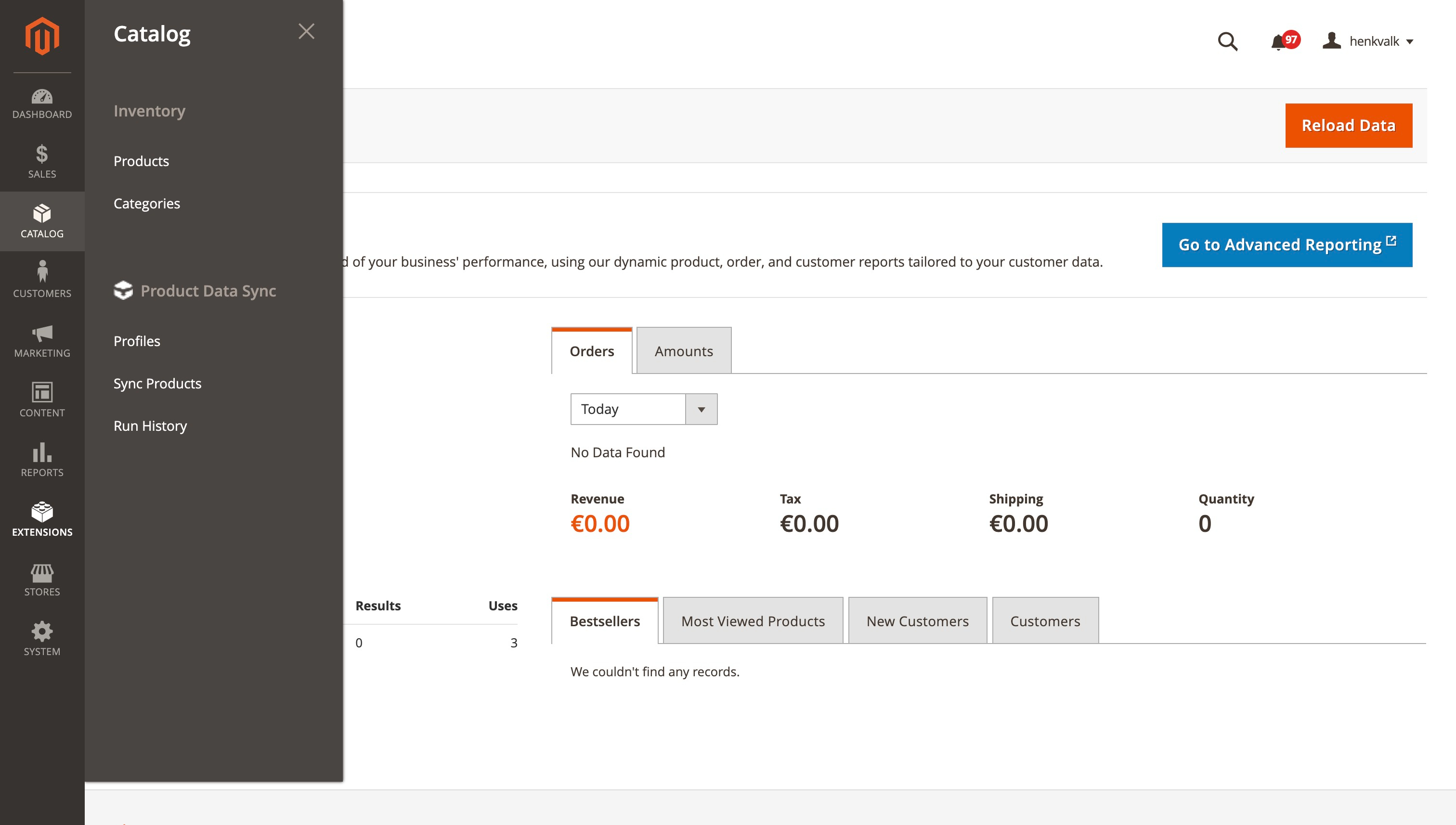
- Navigate to Catalog > Product Data Sync > Profiles
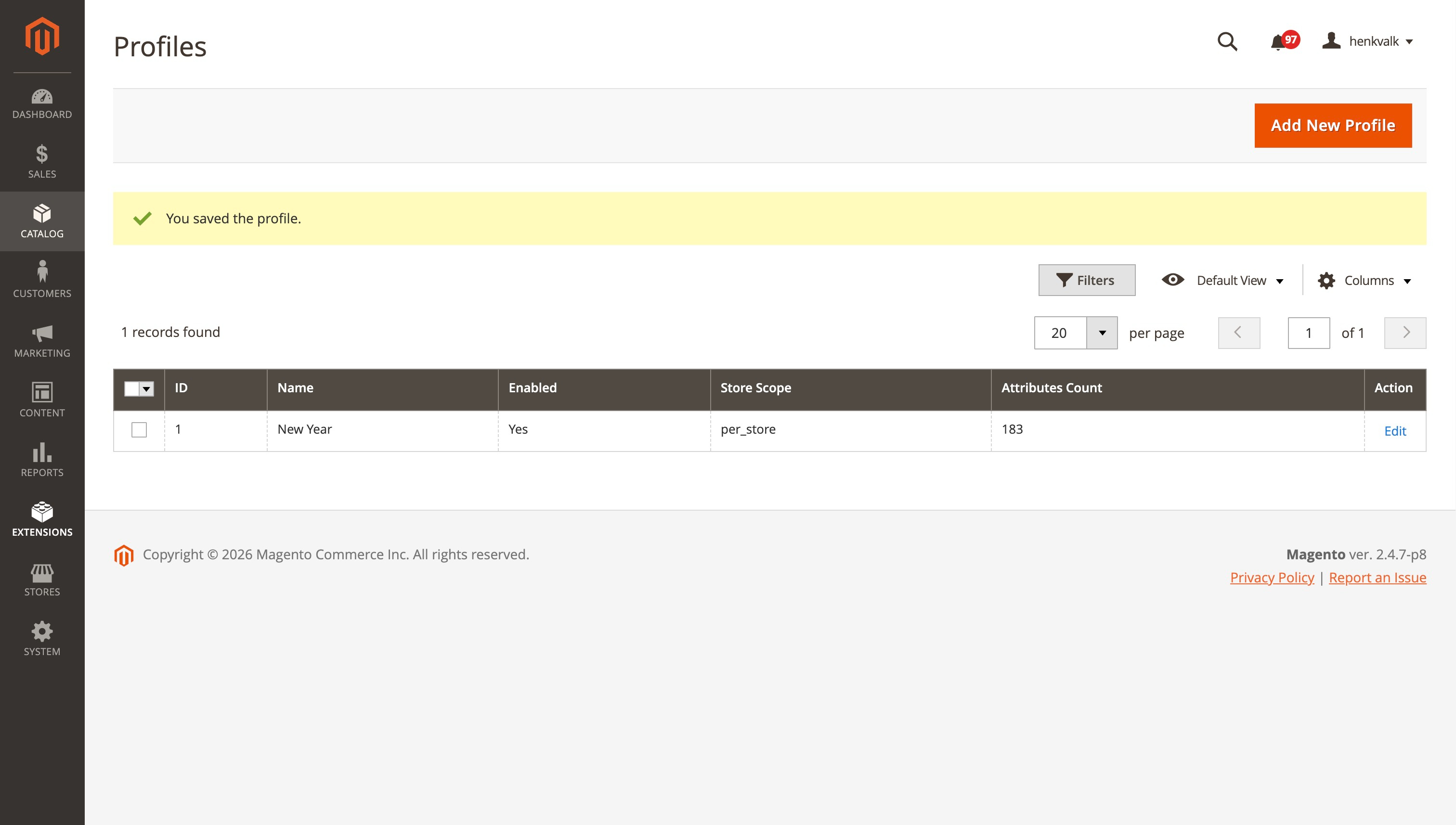
- Click Add New Profile
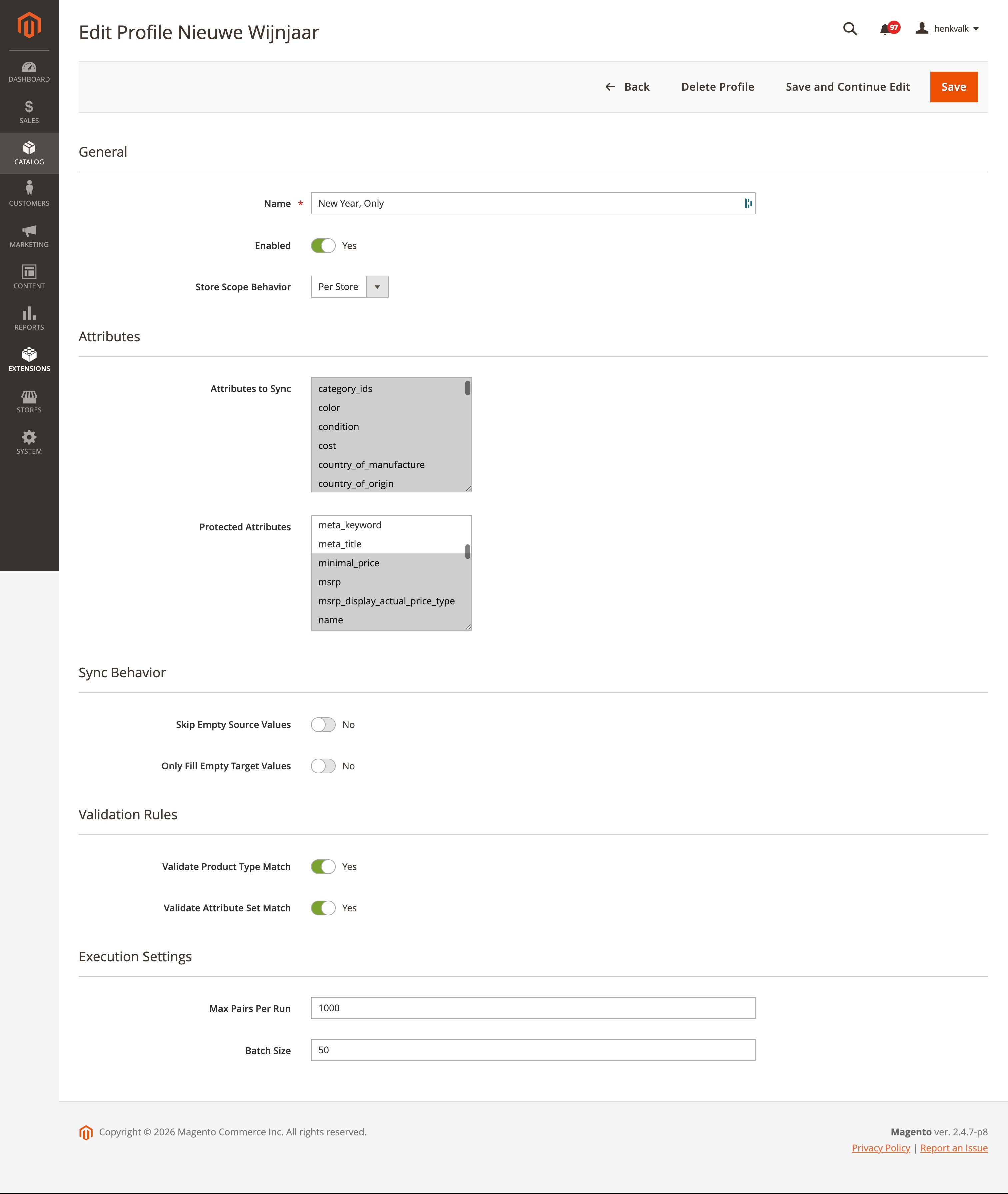
- Configure:
- Profile Name: Descriptive name for the profile
- Attributes: Select which attributes to sync
- Protected Attributes: Attributes that should never be synced (default: SKU, entity_id, type_id, attribute_set_id)
- Sync Behavior: Configure how to handle empty values
- Store Scope Behavior: How to handle store-scoped attributes
- Execution Settings: Batch size and limits
Syncing Products
- Navigate to Catalog > Product Data Sync > Sync Products
- Select a Profile
- Choose Stores Mode:
- All for target: Sync to default + target product's stores
- All from source: Link all source stores and copy overridden attributes
- Specific: Sync to a specific store view
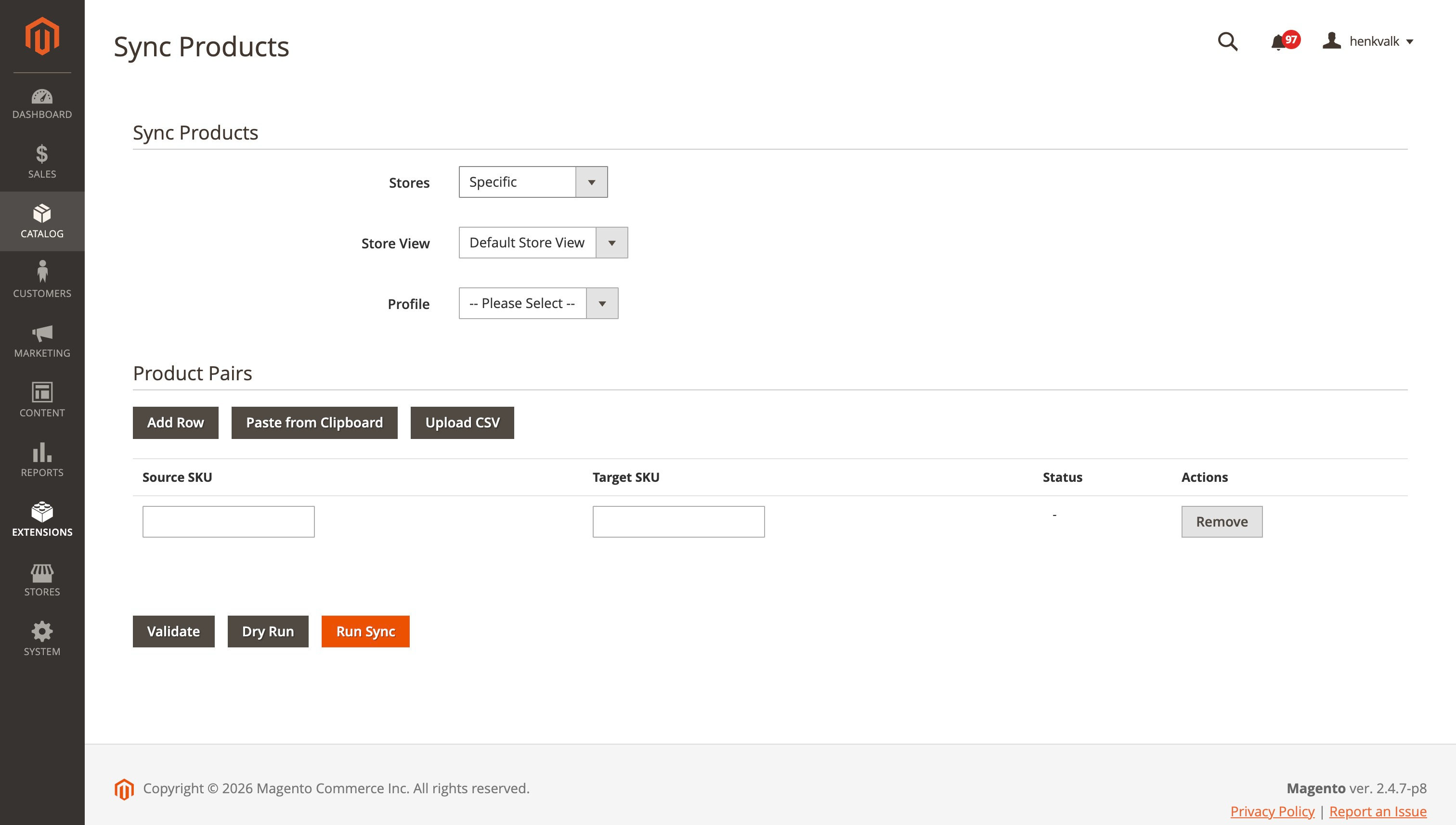 4. Add product pairs (Source SKU → Target SKU)
- Click on
Add Rowto add an extra row - You can copy two rows from a spreadsheet and paste it through
Paste from Clipboard - You can upload a comma separeted CSV file through
Upload CSV
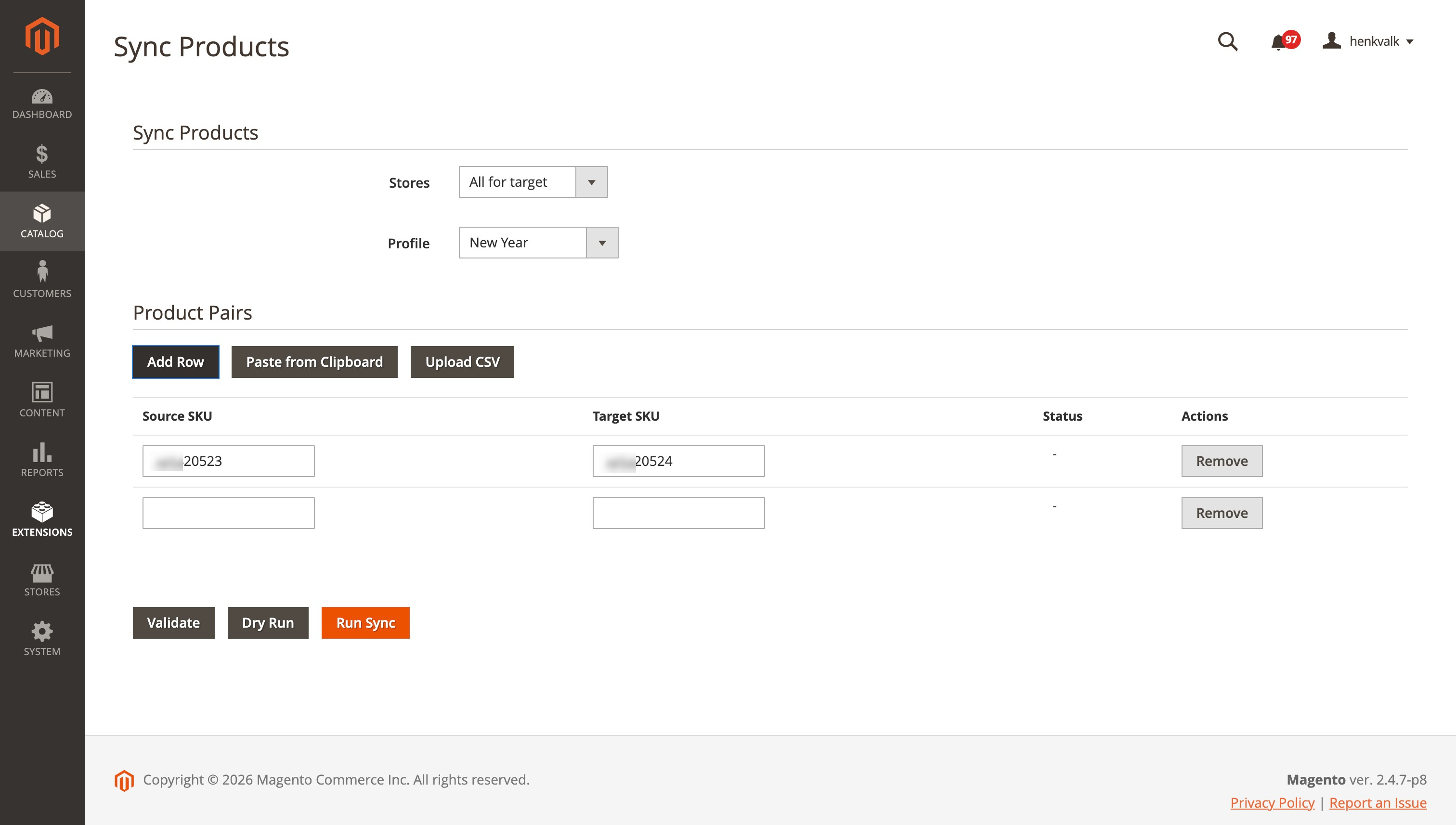
- Click Validate to check pairs, Dry Run to test, or Run Sync to execute
Viewing Run History
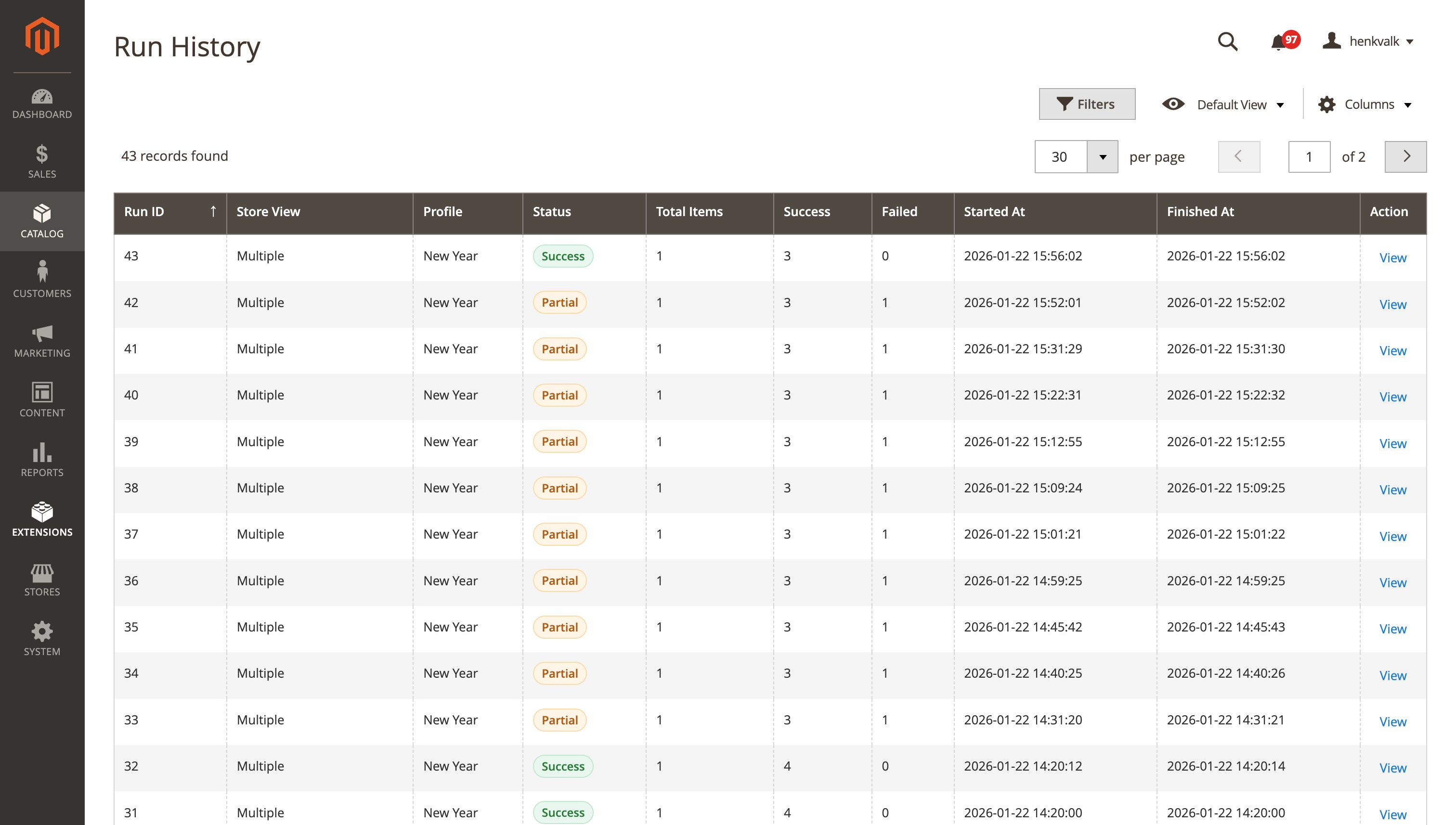
- Navigate to Catalog > Product Data Sync > Run History
- View all sync runs with status, item counts, and duration
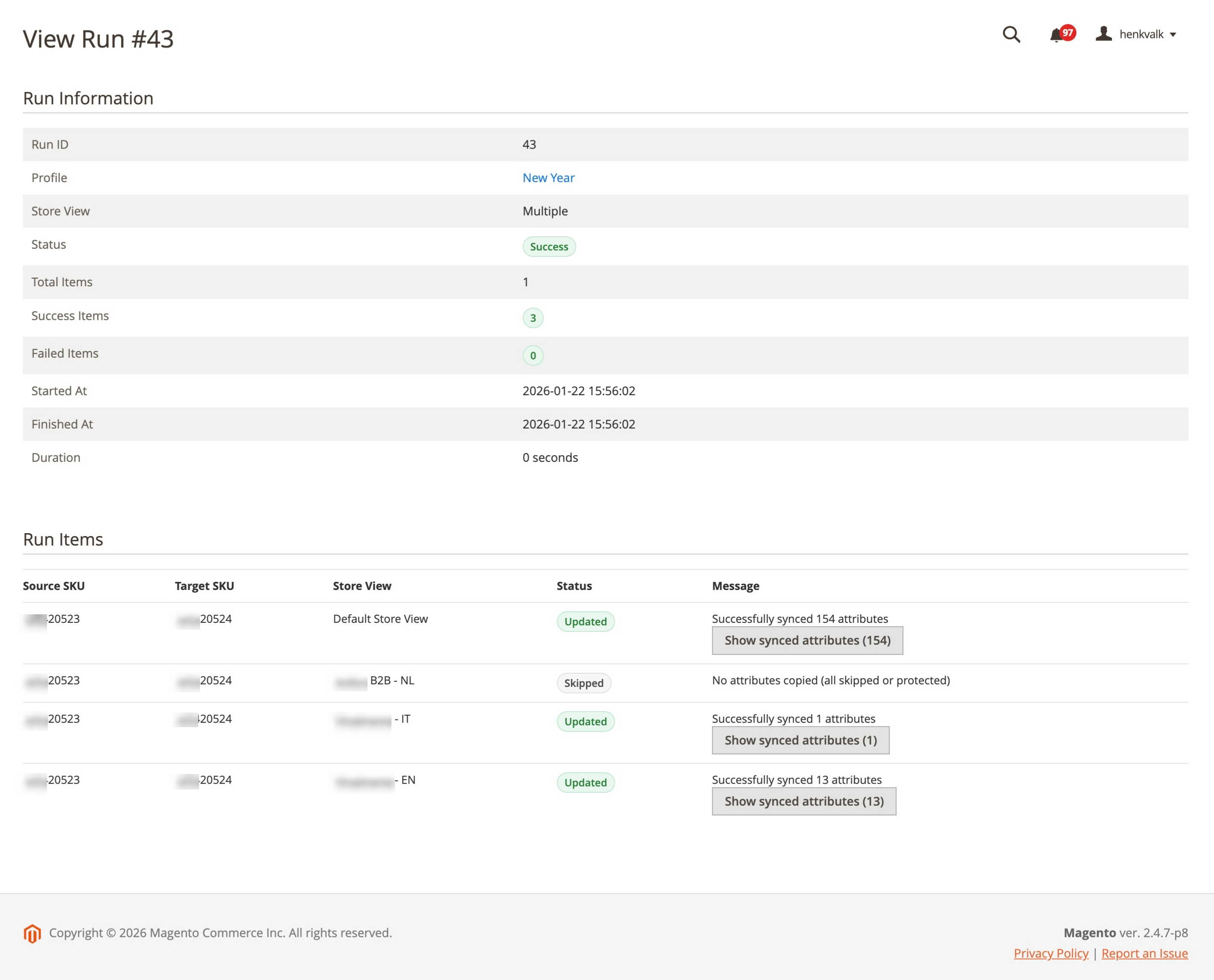
- Click View to see detailed results per product pair
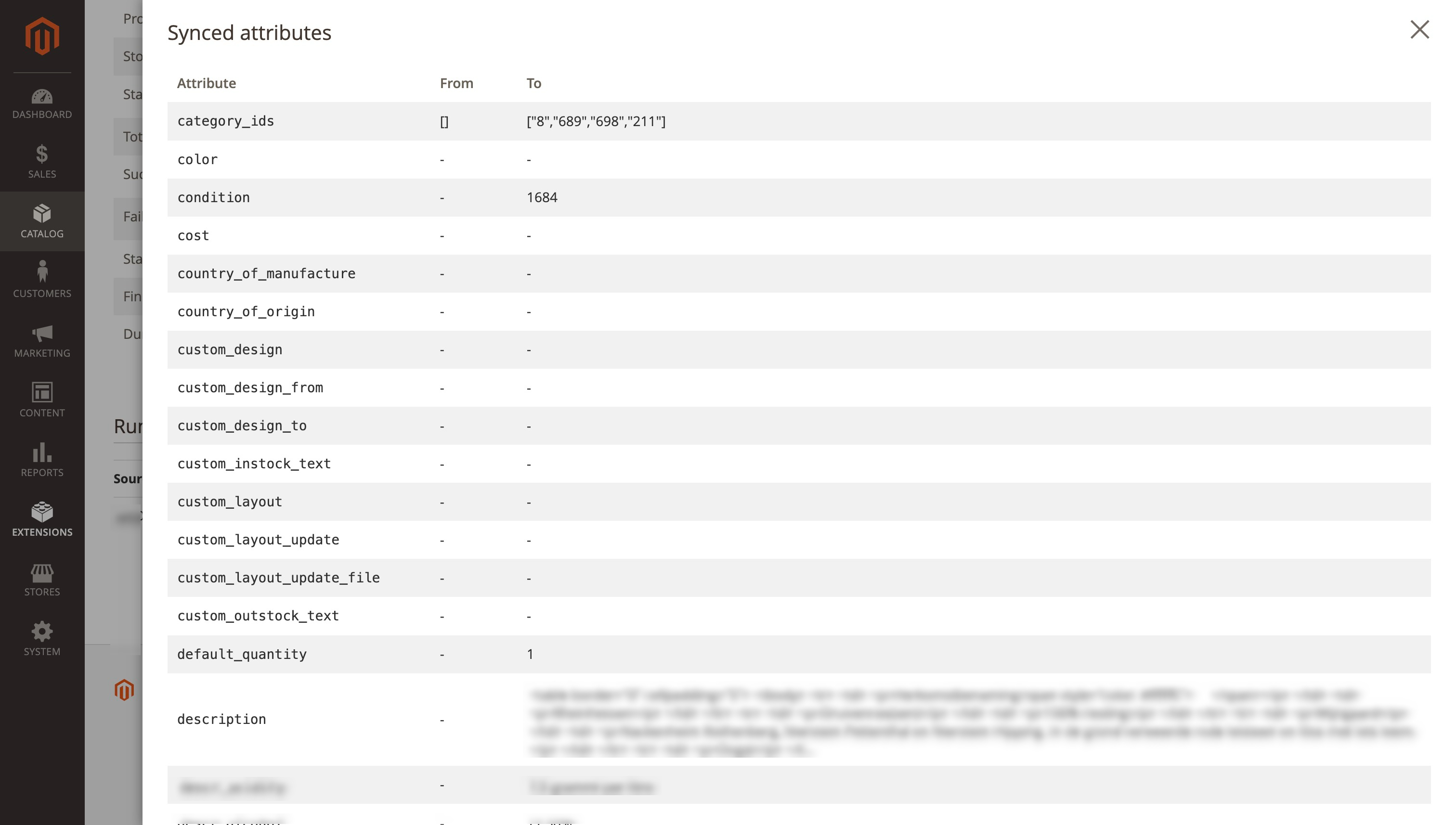
- To see the changes of the attributes click on the button Show synced attributes to execute the same sync again
Configuration
Store Scope Behavior
- Per Store: All attributes saved with selected store context
- Global: Global attributes saved on store 0, store attributes with selected store
- Inherit: Use attribute's own scope setting
Sync Behavior
- Skip Empty Source: Don't copy attributes with empty source values
- Only Fill Empty Target: Only copy if target attribute is empty
Logging
All sync operations are logged to var/log/product-data-sync.log with:
- Start/end of sync operations
- Product loading details
- Attribute processing results
- Detailed error information with stack traces
- Skipped attributes with reasons
Troubleshooting
Unique Constraint Violations
If you encounter unique constraint violations:
- The module automatically skips attributes that use default values
- Check the log file for detailed information about which attributes are skipped
- Ensure you're not trying to sync global attributes to store views
License
Copyright (c) 2026 Falcon Media (https://www.falconmedia.nl/) See LICENSE file for details.
Support
For issues, questions, or contributions, please open an issue on GitHub.
Author
Falcon Media
- Website: https://www.falconmedia.nl/
- Email: info@falconmedia.nl
This content is fetched directly from the module's GitHub repository. We are not the authors of this content and take no responsibility for its accuracy, completeness, or any consequences arising from its use.