Selective Cache
Adds a button to refresh invalidated cache types in Magento admin. Can also be configured to automatically refresh invalidated cache types via cron.
Build Tests
Code Quality
Release Discipline
Release history audited up to v2.2.0
Tested on Magento 2.4.9
Recent Test History
Each release is tested against the latest Magento version at that time.
Top Contributors
View Leaderboard
Share This Module's Status
README
Loaded from GitHubMagento 2 Selective Cache
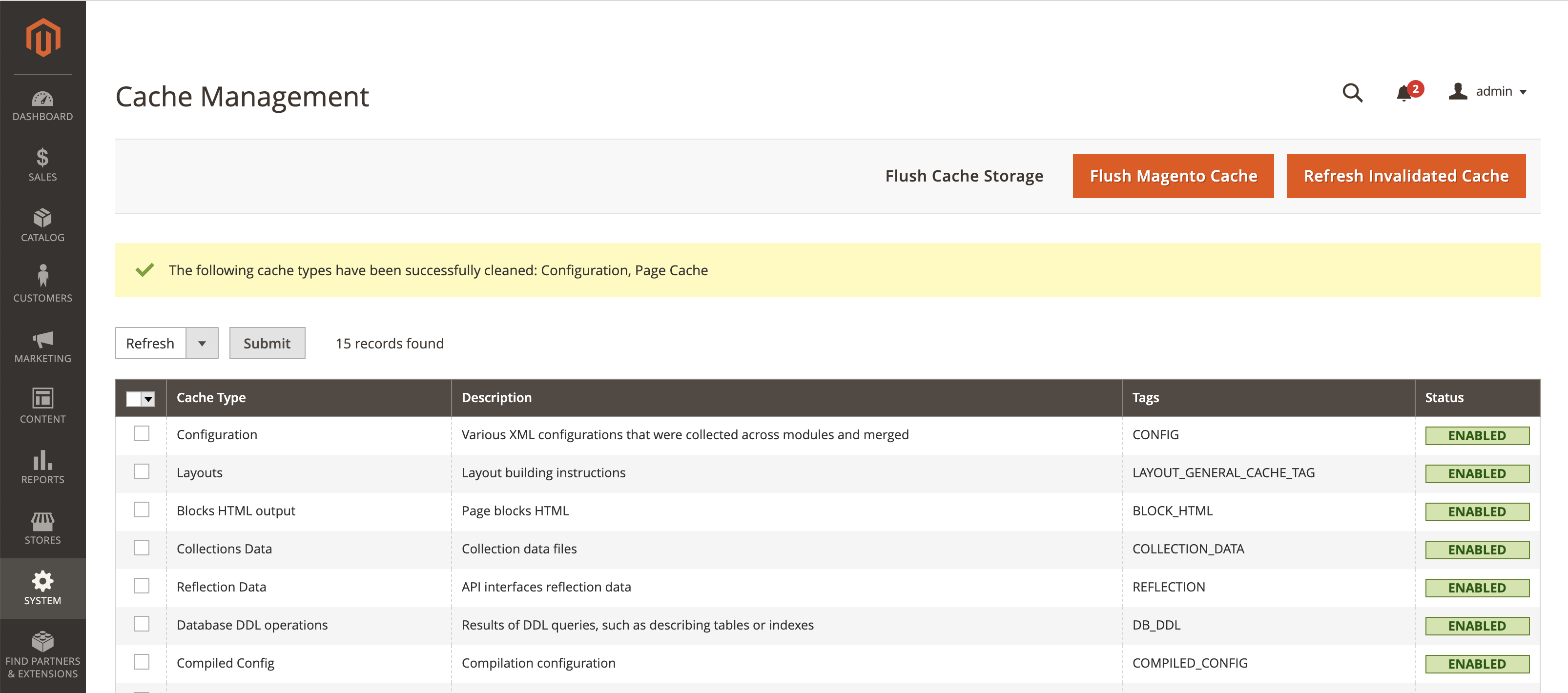
This extension adds a Refresh Invalidated Cache button. Upon clicking the button, the extension cleans all Cache Types which are marked as Invalidated.
You can also configure and run a cronjob to refresh invalidated Cache Types.
Usage
Refresh Button
Navigate to the System > Tools > Cache Management page and you should see a Refresh Invalidated Cache button.
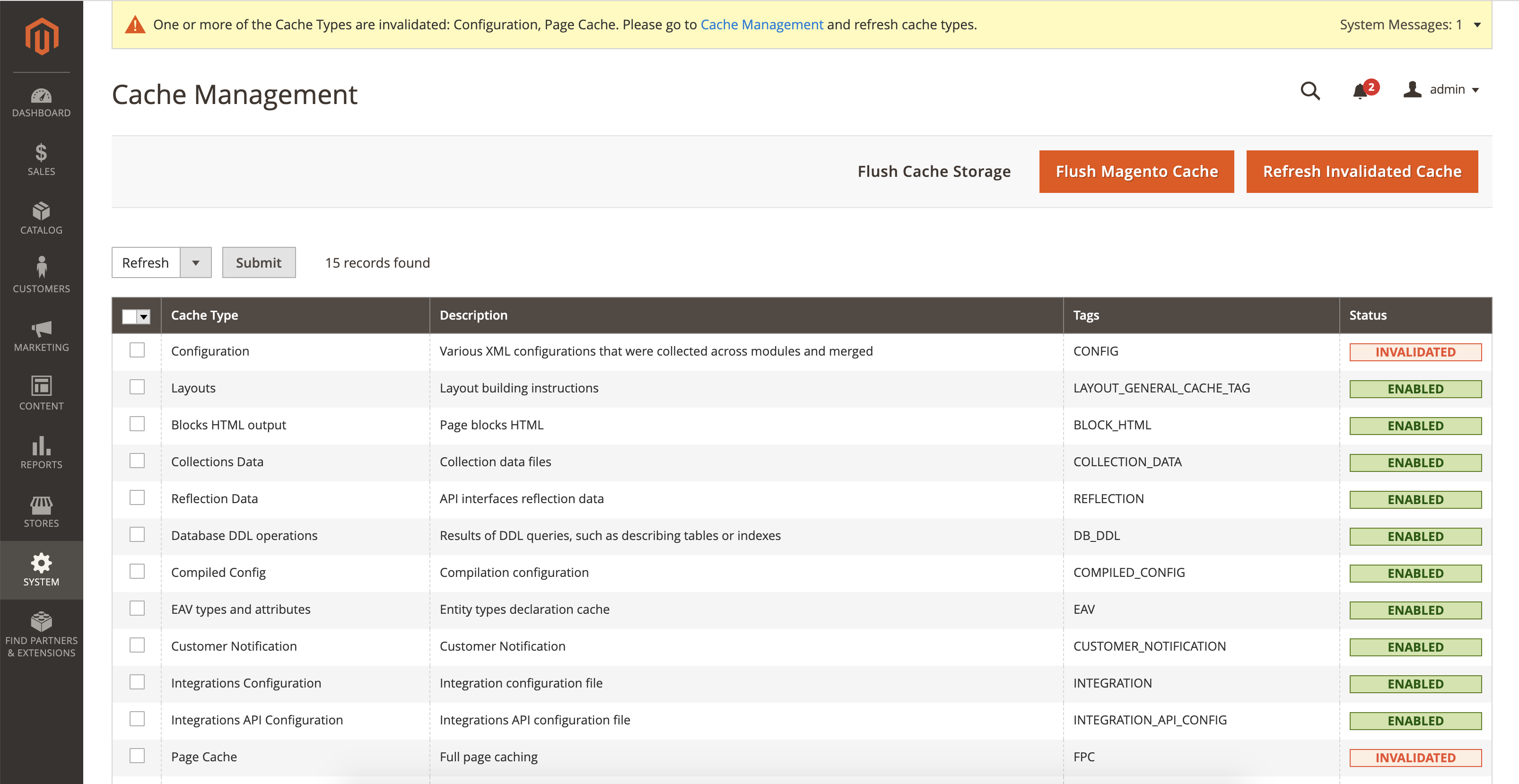
The cache records which are marked as Invalidated are cleaned when a user hits Refresh Invalidated Cache button.
Cronjob
You can set a cronjob to automatically clean invalidated cache types regularly. Navigate to Stores > Configuration and select Pronko Consulting > Selective Cache. Here you can enable/disable the cronjob and set when to run the cronjob.
Installation
Composer
composer require pronko/selective-cache
This content is fetched directly from the module's GitHub repository. We are not the authors of this content and take no responsibility for its accuracy, completeness, or any consequences arising from its use.