Autopay for Hyvä Checkout (Magento 2)
bluepayment-plugin/magento-hyva-autopay 20
Adds Hyvä Checkout compatibility for the BlueMedia/Autopay payment method, providing the views, styles and Magewire components needed to offer Autopay payments on Hyvä-based storefronts (requires the base BlueMedia BluePayment module).
Build Tests
Code Quality
Release Discipline
Release history audited up to v1.0.3
Tested on Magento 2.4.9
Recent Test History
Each release is tested against the latest Magento version at that time.
Top Contributors
View Leaderboard

Looking for Contributors
Dependency injection compilation fails. Your contribution could help the entire Magento community!
Share This Module's Status
README
Loaded from GitHubInstructions for the Magento 2 module: Autopay for Hyvä Checkout
Basic information
BlueMedia_HyvaPayment is a compatibility module for Magento 2 stores using Hyvä Checkout. It extends the base payment module BlueMedia_BluePayment with views, styles, and Magewire components required to support Autopay payments in Hyvä Checkout.
This module does not replace BlueMedia_BluePayment. The base module remains responsible for payment configuration, communication with Autopay, payment channel synchronization, ITN handling, refunds, and transaction data.
Requirements
- Magento 2 with a working Hyvä Checkout installation.
- Active
BlueMedia_BluePaymentmodule. - Active Hyvä modules required by
BlueMedia_HyvaPayment:Hyva_Checkout,Hyva_CompatModuleFallback.
- Compatible PHP and Magento versions, the same as required by the base module.
Compatibility table
| Composer package | Magento module | Required base module BlueMedia_BluePayment | Magento | PHP | Notes |
|---|---|---|---|---|---|
bluepayment-plugin/magento-hyva-autopay 1.0.1 |
BlueMedia_HyvaPayment |
2.34.0 or newer | Same as for the base module | Same as for the base module | Support for the always-visible BLIK 0 code field in the custom Autopay payment list. |
bluepayment-plugin/magento-hyva-autopay 1.0.0 |
BlueMedia_HyvaPayment |
2.33.0 or newer | Same as for the base module | Same as for the base module | First release of the Hyvä Checkout module. |
The Hyvä module should be updated together with the base module. If you install a newer version of BlueMedia_BluePayment, use the latest available version of BlueMedia_HyvaPayment.
What’s new
The list of changes is available in CHANGELOG.md.
Installation
Via Composer
Install the module with the following command:
composer require bluepayment-plugin/magento-hyva-autopay
Then go to module activation.
Via ZIP package
- Download the Hyvä module package.
- Upload the ZIP file to the Magento root directory.
- From the Magento root directory, run:
unzip -o -d app/code/BlueMedia/HyvaPayment bluepayment-hyva-payment-*.zip
rm bluepayment-hyva-payment-*.zip
- Go to module activation.
Module activation
Run the following commands from the Magento root directory:
bin/magento module:enable BlueMedia_BluePayment BlueMedia_HyvaPayment --clear-static-content
bin/magento setup:upgrade
bin/magento setup:di:compile
bin/magento setup:static-content:deploy
bin/magento cache:flush
If BlueMedia_BluePayment is already active, you can enable only the Hyvä module:
bin/magento module:enable BlueMedia_HyvaPayment --clear-static-content
bin/magento setup:upgrade
bin/magento setup:di:compile
bin/magento setup:static-content:deploy
bin/magento cache:flush
After activation, check the module status:
bin/magento module:status BlueMedia_BluePayment BlueMedia_HyvaPayment Hyva_Checkout Hyva_CompatModuleFallback
Configuration
Autopay payment configuration
Configuration of service credentials, test mode, payment channels, BLIK 0, Google Pay, cards, one-click payments, and refunds is handled in the base module:
Stores -> Configuration -> Sales -> Payment Methods -> Autopay Online Payment
A detailed description is available in the README of the base module.
Hyvä Checkout configuration
The Hyvä module adds a separate configuration section in the Autopay payment method settings:
Stores -> Configuration -> Sales -> Payment Methods -> Autopay Online Payment -> Hyvä Checkout
Available option:
| Field | Default | Description |
|---|---|---|
| Override Hyvä payment list template | No | When enabled, the module replaces the default Hyvä payment method list template with a custom Autopay template. |
Payment method list view
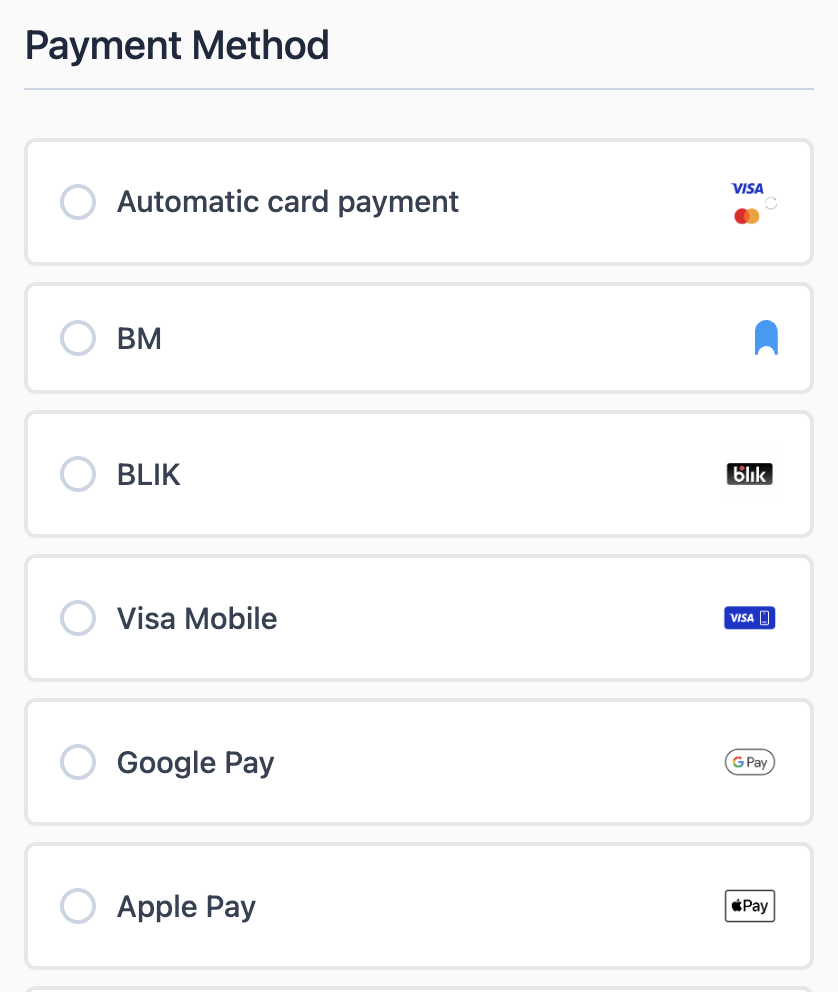
By default, the module uses the standard Hyvä Checkout payment method list.
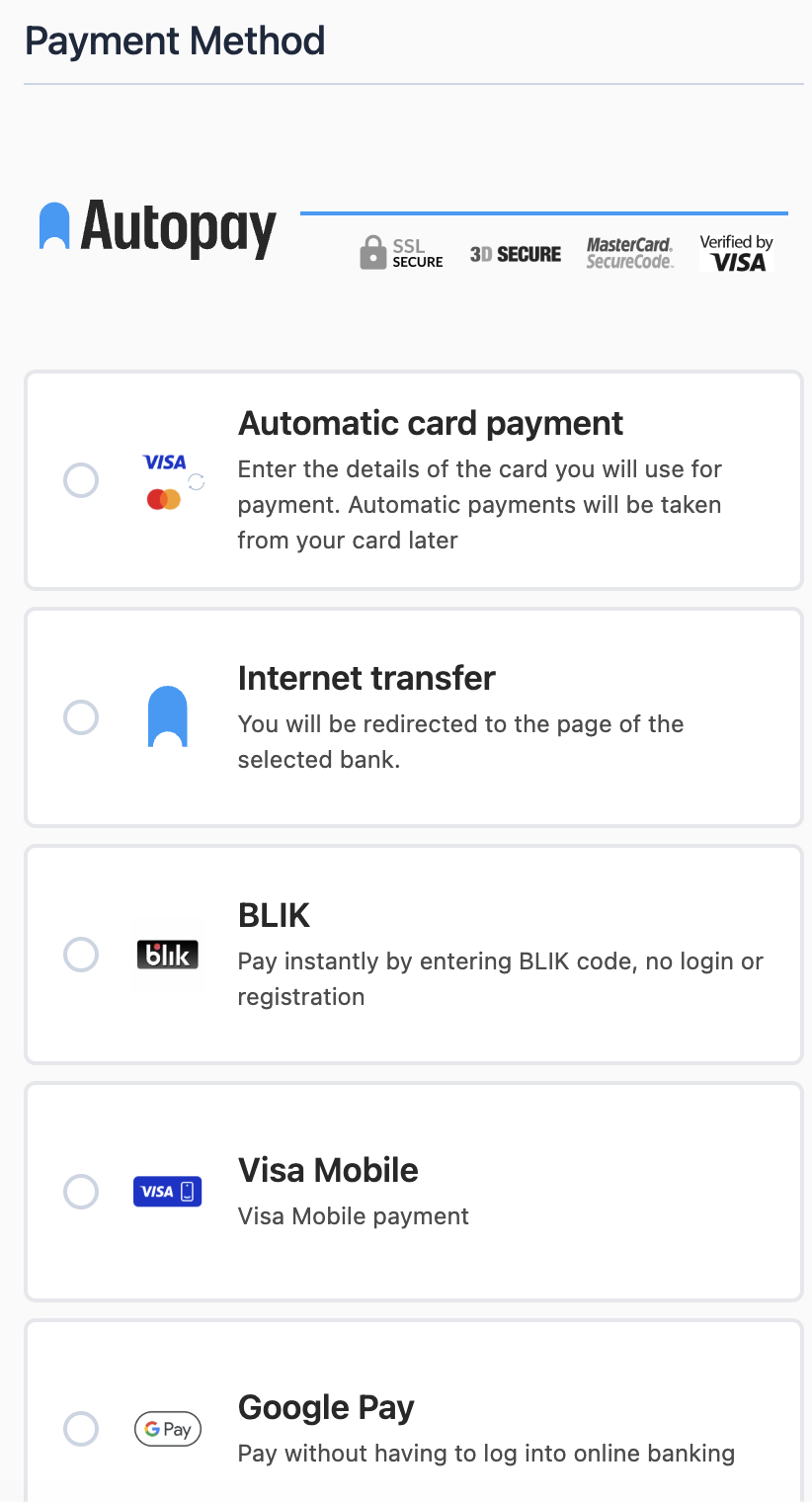
After enabling Override Hyvä payment list template, the module uses the Autopay template, which:
- displays the payment channel icon on the left,
- adds a short payment channel description below the name,
- groups all Autopay payment channels under a heading,
- supports the always-visible BLIK 0 code field when Always show BLIK code field is enabled in the base module.
When Override Hyvä payment list template is disabled, checkout uses the standard Hyvä list and the BLIK 0 code field appears only after the customer selects the BLIK method.
Autopay template:
Default Hyvä template:
Channels and separate payment methods
The payment channel list comes from the BlueMedia_BluePayment module. To make channels visible in Hyvä Checkout:
- Configure the Autopay service credentials in the base module.
- Synchronize payment channels in the Magento admin panel.
- In the base module, set whether channels should be displayed as a list inside the Autopay method or as separate payment methods.
- Clear the Magento cache.
Separate payment methods use the same channel configuration, sort order, descriptions, and icons as the standard Magento checkout.
This content is fetched directly from the module's GitHub repository. We are not the authors of this content and take no responsibility for its accuracy, completeness, or any consequences arising from its use.