Build Tests
Code Quality
Release Discipline
Release history audited up to v0.6.0
Tested on Magento 2.4.9
Recent Test History
Each release is tested against the latest Magento version at that time.
Share This Module's Status
README
Loaded from GitHubH&O Magento 2 Advanced Template Hints module
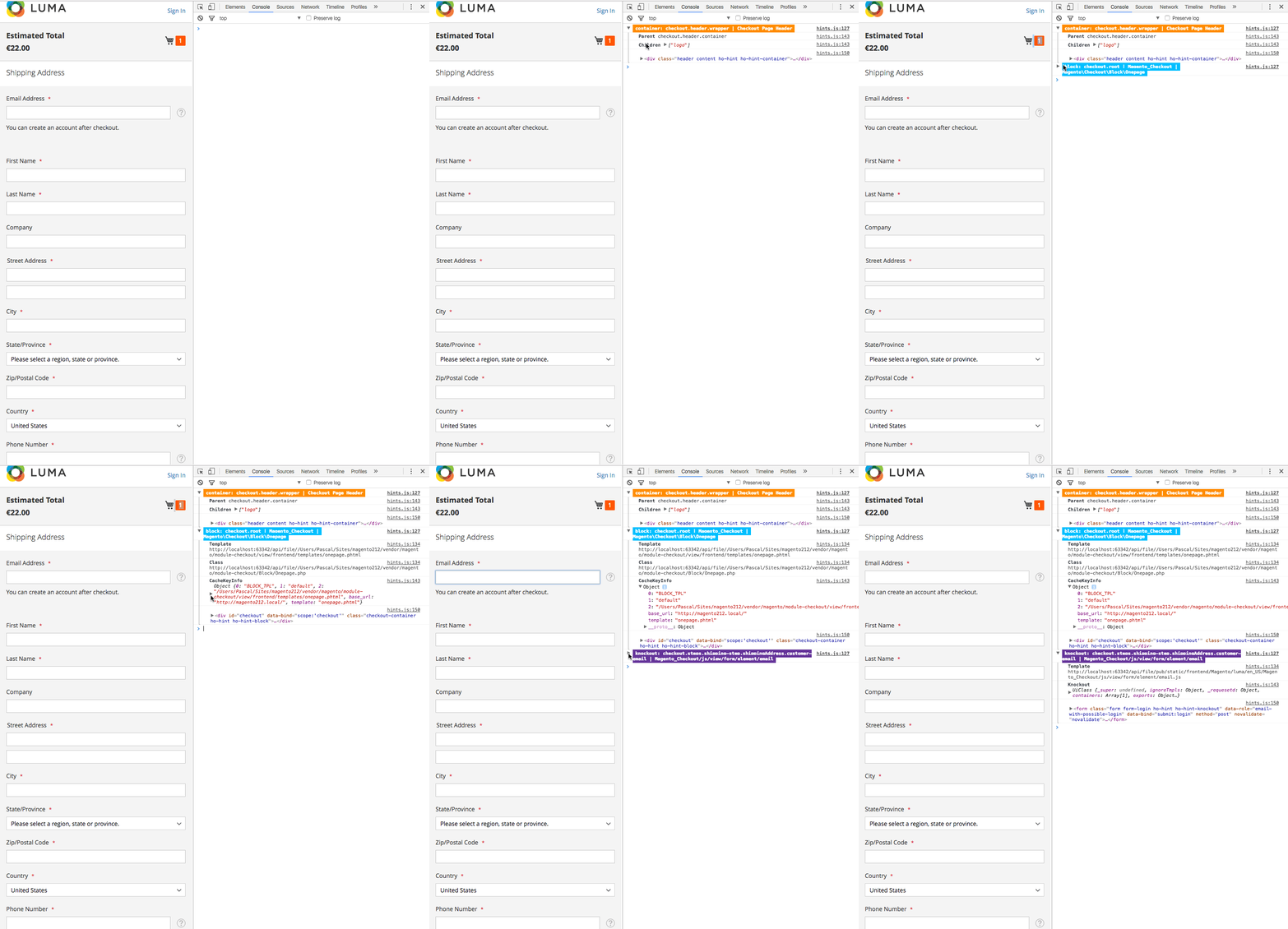
Ho_Templatehints extends the default Magento template hints.
- Easily accessible with muscle memory
?ath=1. - Shows hints for Templates, AbstractBlocks (Blocks), Containers and UI Components.
- No layout interference: Using css outline instead of borders of other HTML elements, so it doesn't f'up the layout.
Installation
composer require --dev honl/magento2-templatehints
php bin/magento module:enable Ho_Templatehints
php bin/magento setup:upgrade
Development installation (git enabled)
composer require --dev honl/magento2-templatehints "dev-master"
php bin/magento module:enable Ho_Templatehints
php bin/magento setup:upgrade
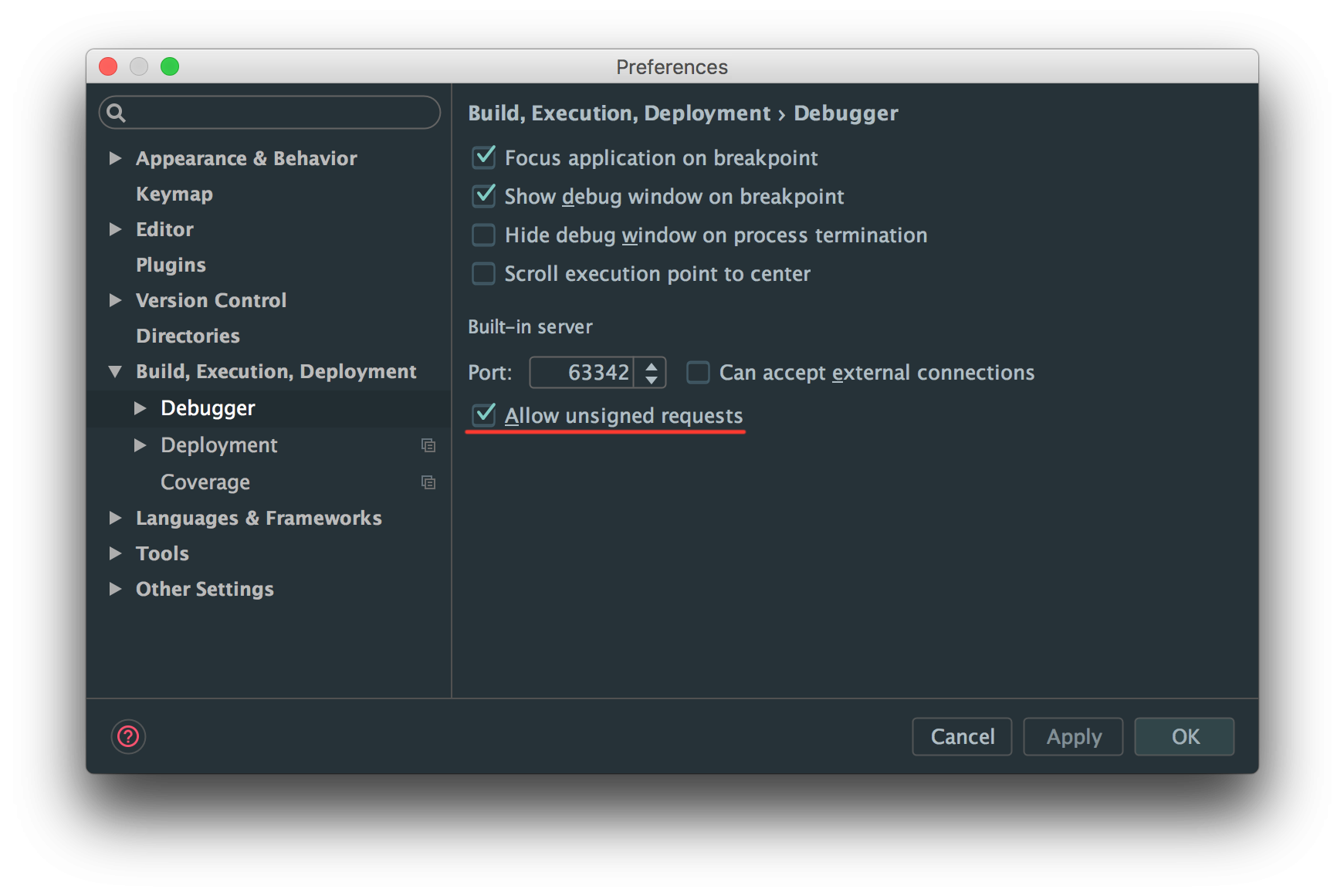
Configure PHPStorm, allow remote calls
Usage
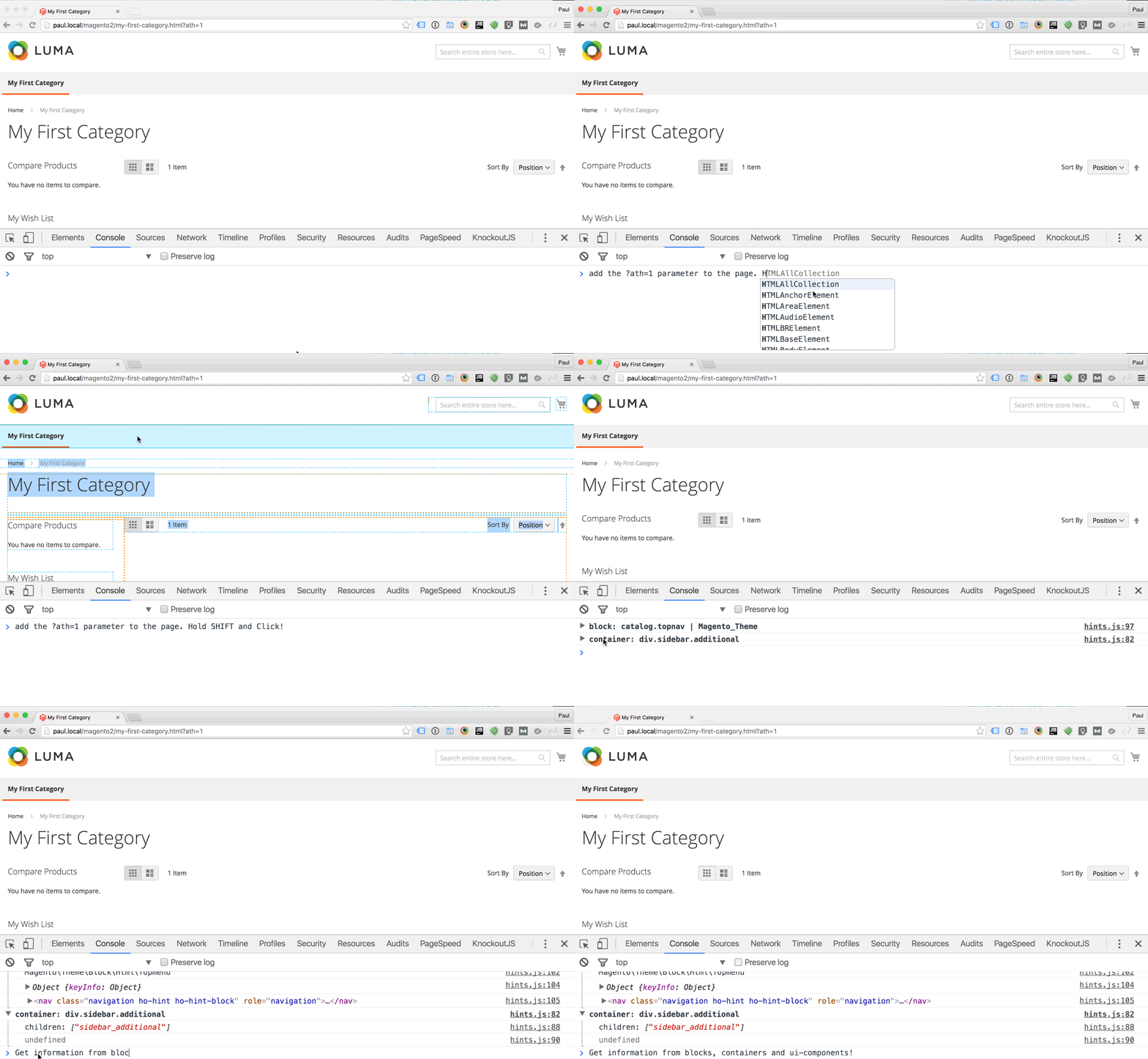
- Set your Magento 2 installation to developer mode (when in production mode make sure to add your IP address in Developer Client Restrictions).
- Add
?ath=1to your URL to activate. - Open up your console in you Chrome/Firefox/Safari/
IEdevtools. - hold ⇧ (shift)
- Hover over the element you wish to inspect
- Voila! Hints everywhere!
Hints for hidden elements
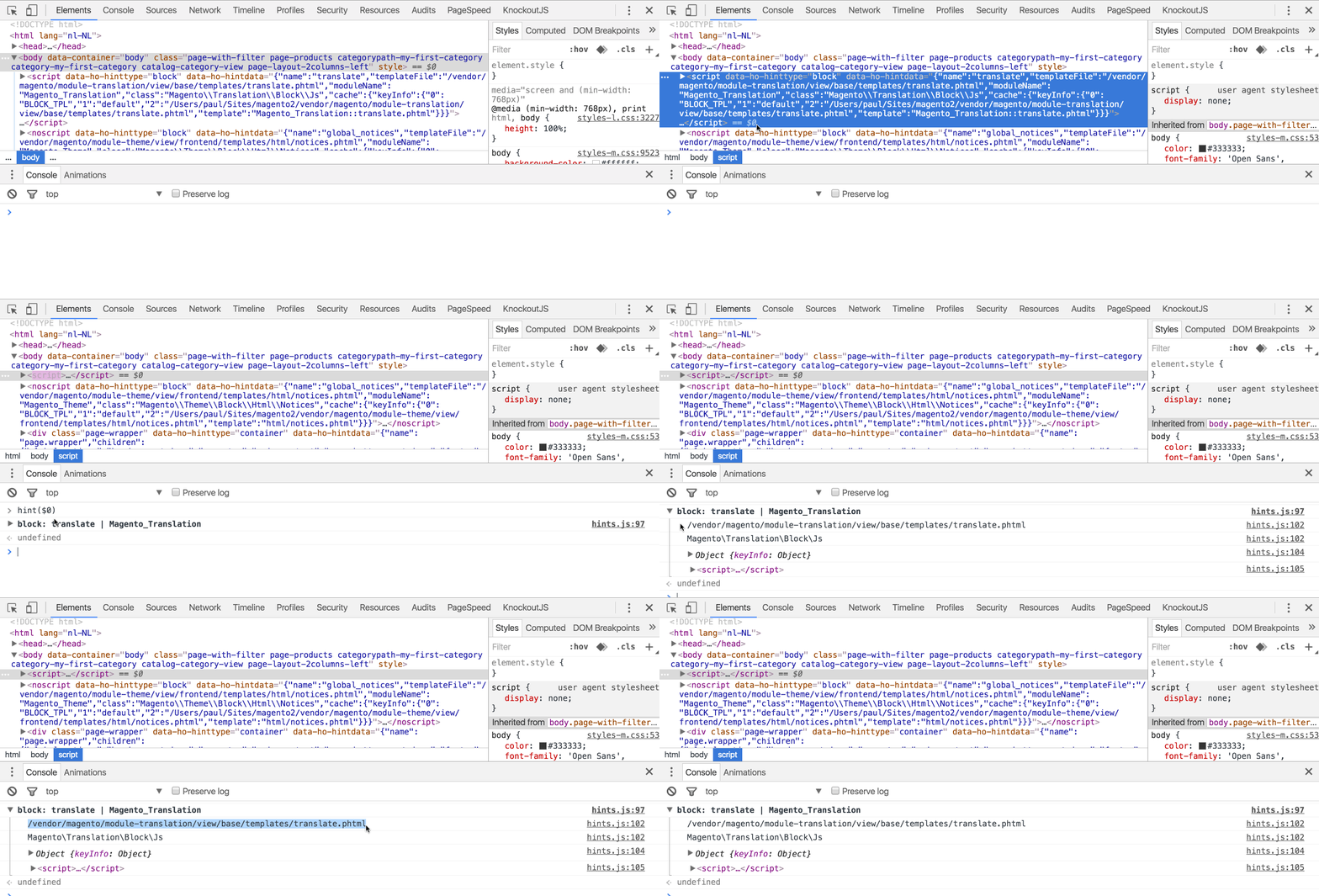
You can't show hints for a hidden element, for that purpose there is hint($0):
//Select an element in the Elements panel in your devtools, it is now available with $0
hint($0)
Inner Workings
The module adds an additional HTML attribute to the outer most element of a layout element.
Credits
Inspiration from Aoe_TemplateHints and a lot of love from H&O.
Developer
This module was developed by the H&O team. Check out more about this module on the H&O website: H&O Magento 2 Advanced Template hints module
This content is fetched directly from the module's GitHub repository. We are not the authors of this content and take no responsibility for its accuracy, completeness, or any consequences arising from its use.