Magenerds Pagedesigner
Enables drag-and-drop editing for CMS blocks and pages. Allows responsive layout design with predefined CSS classes for rows and columns.
Build Tests
Code Quality
Release Discipline
Release history audited up to v4.3.2
Tested on Magento 2.4.9
Recent Test History
Each release is tested against the latest Magento version at that time.
Looking for Contributors
Composer installation fails. Your contribution could help the entire Magento community!
Share This Module's Status
README
Loaded from GitHubMagenerds_PageDesigner
This extension facilitates the cms editing process in your store.
Instead of just a wysiwyg editor you now have a drag and drop editor to layout your blocks.
- Magento 2.3 compatibility version 4.0.0
- Magento 2.2 and lower version 3.x
Extension installation
The easiest way to install the Magenerds module is via composer
# add to composer require
composer require magenerds/pagedesigner

# run magento setup to activate the module
bin/magento set:up
Extension configuration
The extension can be configured if you go to Stores > Configuration and afterwards to Magenerds > Page Designer.
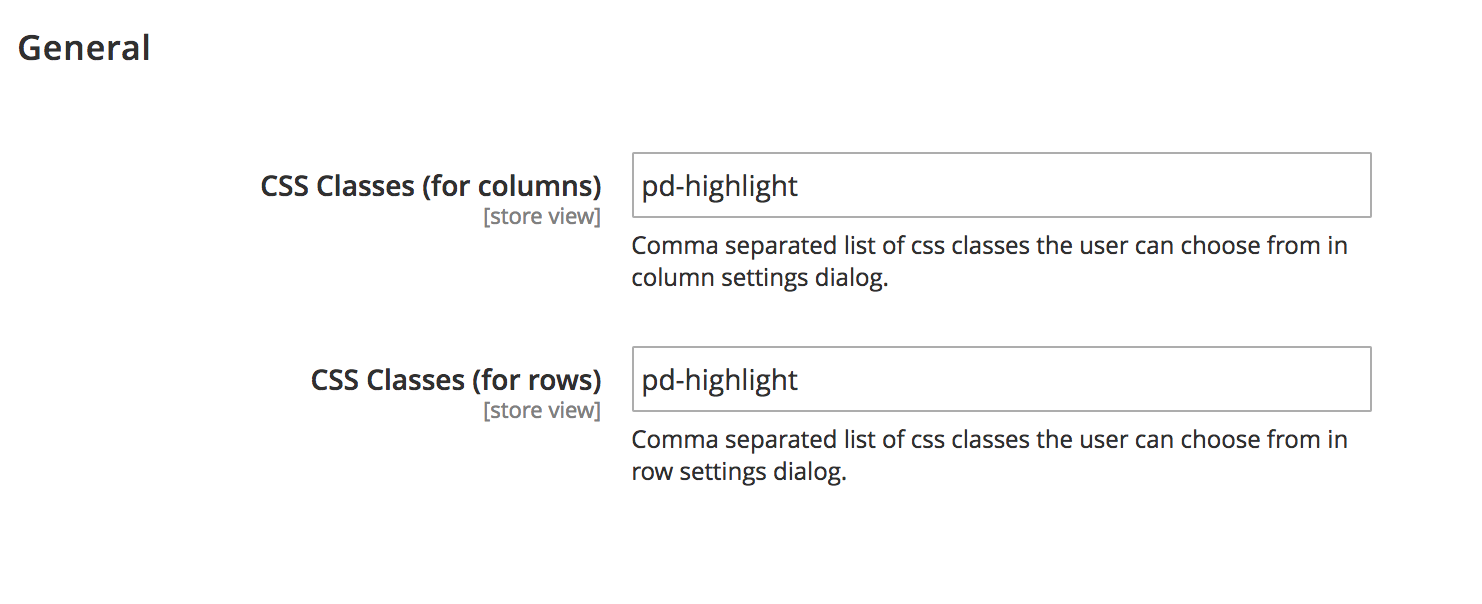
- CSS Classes (for columns):
A comma separated list of pre defined css classes which the cms editor can choose from.
The default class pd-highlight is just a dummy class and does nothing.
It is important that a developer has to include the css classes into the theme before using them. - CSS Classes (for rows):
A comma separated list of pre defined css classes which the cms editor can choose from.
The default class pd-highlight is just a dummy class and does nothing.
It is important that a developer has to include the css classes into the theme before using them.
How to use
The page designer can be used for cms blocks and cms pages. Add a new block/page or edit an existing one.
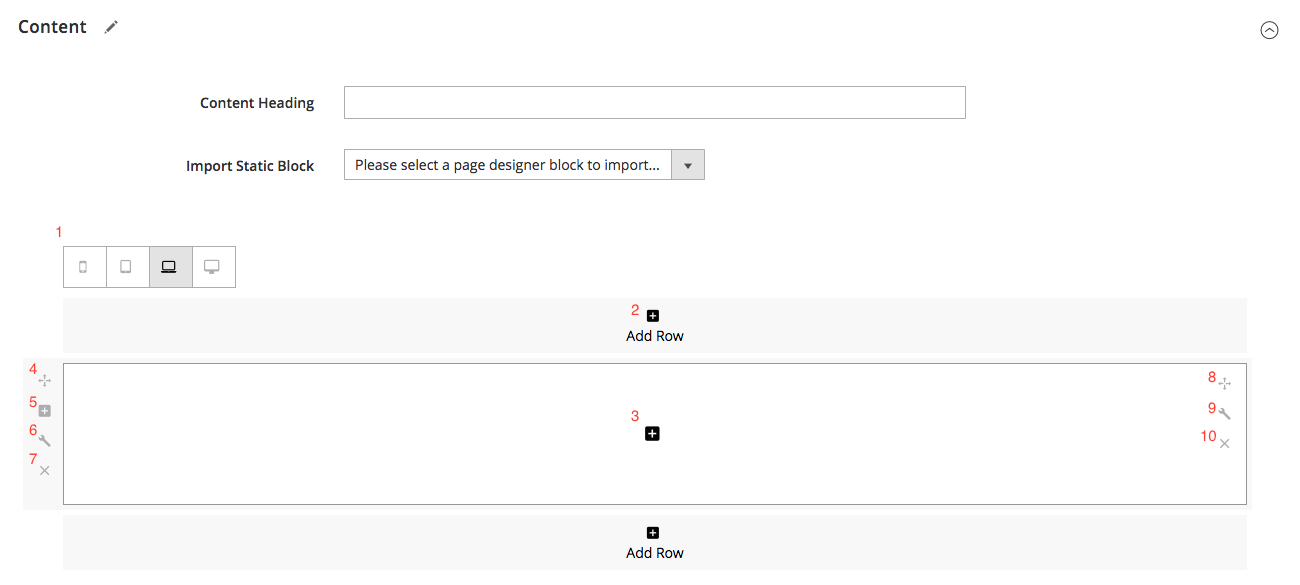
- Select the responsive layout. You can define different layouts for smartphone, tablet, laptop and desktop
- Add more rows
- Click + in order to open up the editor. There you can choose from the widget list or just a wysiwyg editor
- Drag and drop the row
- Click + in order to add a column in the current row
- Click to add pre defined css classes to the row
- Delete the row
- Drag and drop the column
- Click to add pre defined css classes to the column
- Delete the row
Here is an example how a layout can look like:
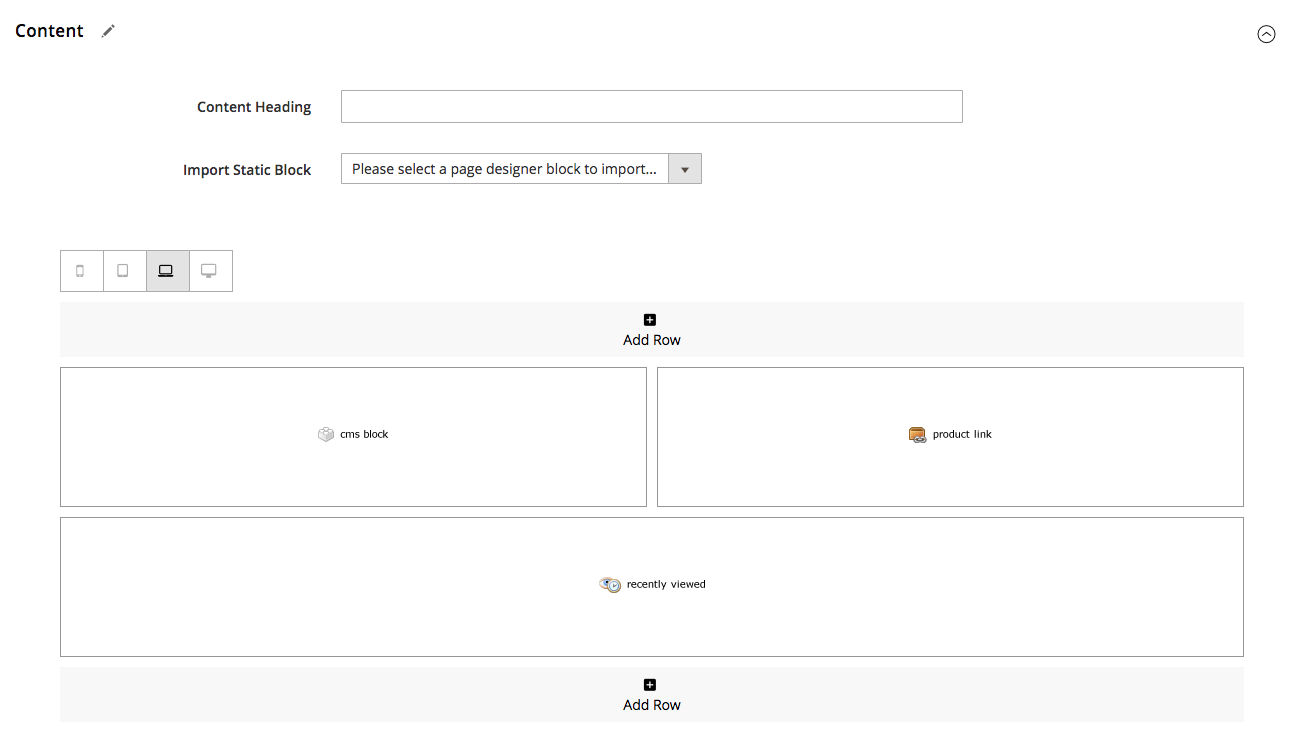
You can import cms blocks you already created into another cms block in order to build on already existing layouts.
This helps you to not start from scratch. All cms blocks created with the page designer are visible in the dropdown Import Static Block.
##Video Tutorial Watch a short video about the extension:
- Magento 2.3 compatibility version 4.0.0
- Magento 2.2 and lower version 3.x
This content is fetched directly from the module's GitHub repository. We are not the authors of this content and take no responsibility for its accuracy, completeness, or any consequences arising from its use.