Magepow Crisp Chat
Integrates the Crisp live chat widget into Magento 2 with one-click setup using your Crisp website ID, plus an optional no-JS deferred-loading mode to reduce performance impact on PageSpeed and GTmetrix scores.
Build Tests
Code Quality
Release Discipline
Release history audited up to v1.0.3
Tested on Magento 2.4.9
Recent Test History
Each release is tested against the latest Magento version at that time.
Share This Module's Status
README
Loaded from GitHubMagento 2 Crisp Chat extension
You want to use the Crisp live chat plugin for your Magento website. Magento 2 Crisp Chat Extebsion by Magepow will help you add Crisp to your Magento website with just one click.
Description
Live chat software is becoming more and more popular and an indispensable part of websites, especially e-commerce sites.
This is an online communication application that allows you and your website visitors to chat right on the website. To start a chat, customers simply click on the chat bubble, a chat box appears inside, visitors will be able to send and receive messages from you.
Currently, Crisp is one of the live chat plugins that is trusted by many businesses.
Our Magento 2 Crisp Chat Extension will help you integrate this application into your Magento website in the simplest way.
Magepow Crispchat Features
Easy configuration with Crisp Chat ID
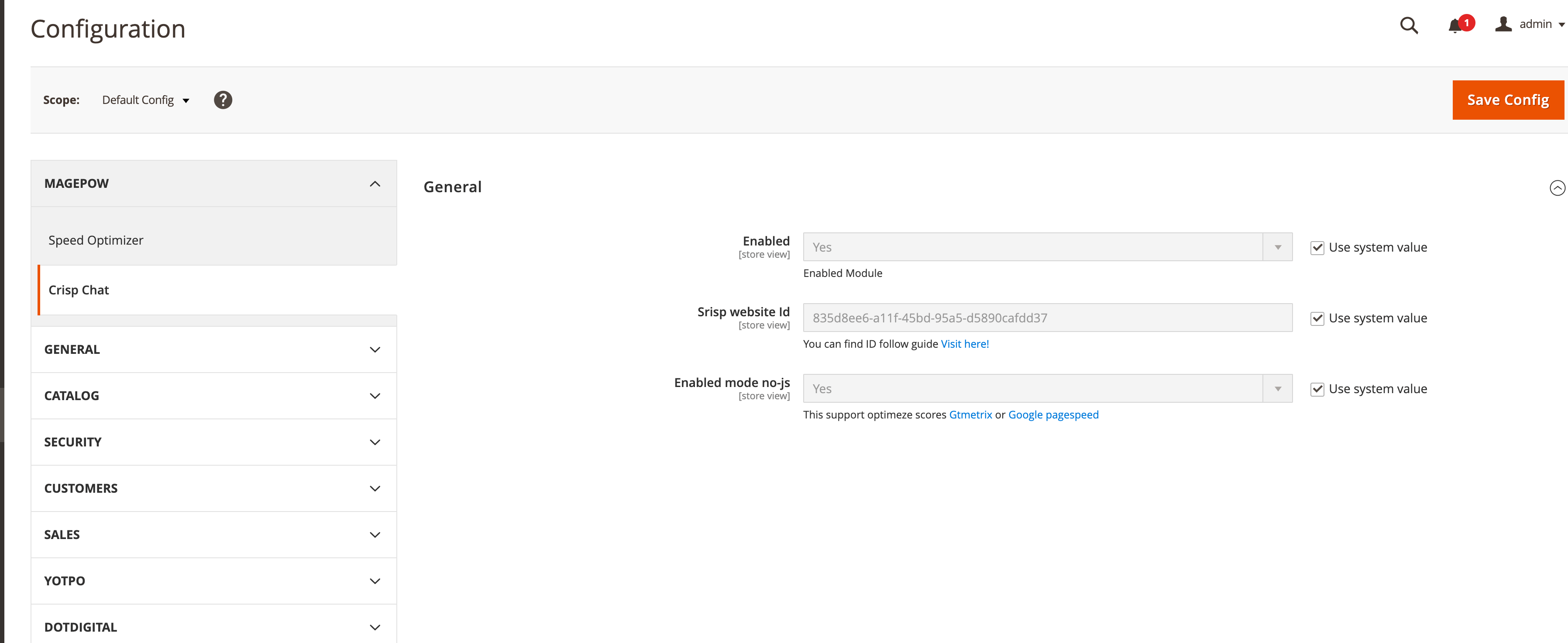
To integrate Crisp live chat plugin into Magento, you need to install Magento 2 Crisp Chat Extension. After registering to use Crisp here, you can find WebsiteID provided by Crisp following this guide, copy and fill ID in “Crisp website Id” in our extension, enable this extension, and you can use live chat on your website.
Enabled mode no-js support optimize scores Gtmetrix or Google PageSpeed Insights
Website often slows down when embedding third-party libraries. If you enable this feature, only when hovering over images on the site and Crisp images will appear, it will speed up the website when testing by Gtmetrix or Google PageSpeed Insights. However, the downside of this feature is that it will make the images on the website not display until the mouse is moved. Please consider when enabling this feature.
1. How to install Magento 2 Crisp Chat
a. Install via composer (recommend)
Run the following commands in Magento 2 root folder:
composer require magepow/crispchat
php bin/magento setup:upgrade
php bin/magento setup:static-content:deploy -f
b. Install manual
-
extract files from an archive
-
deploy files into Magento2 folder
app/code/Magepow/CrispchatRun the following command in Magento 2 root folder:
php bin/magento setup:upgrade
php bin/magento setup:static-content:deploy -f
php bin/magento cache:flush
2. Magepow Crisp Chat user guide
General Configuration
Setting Magepow Crisp Chat
Go to Admin Panel > Stores > Settings > Configuration > Magepow > Crisp Chat
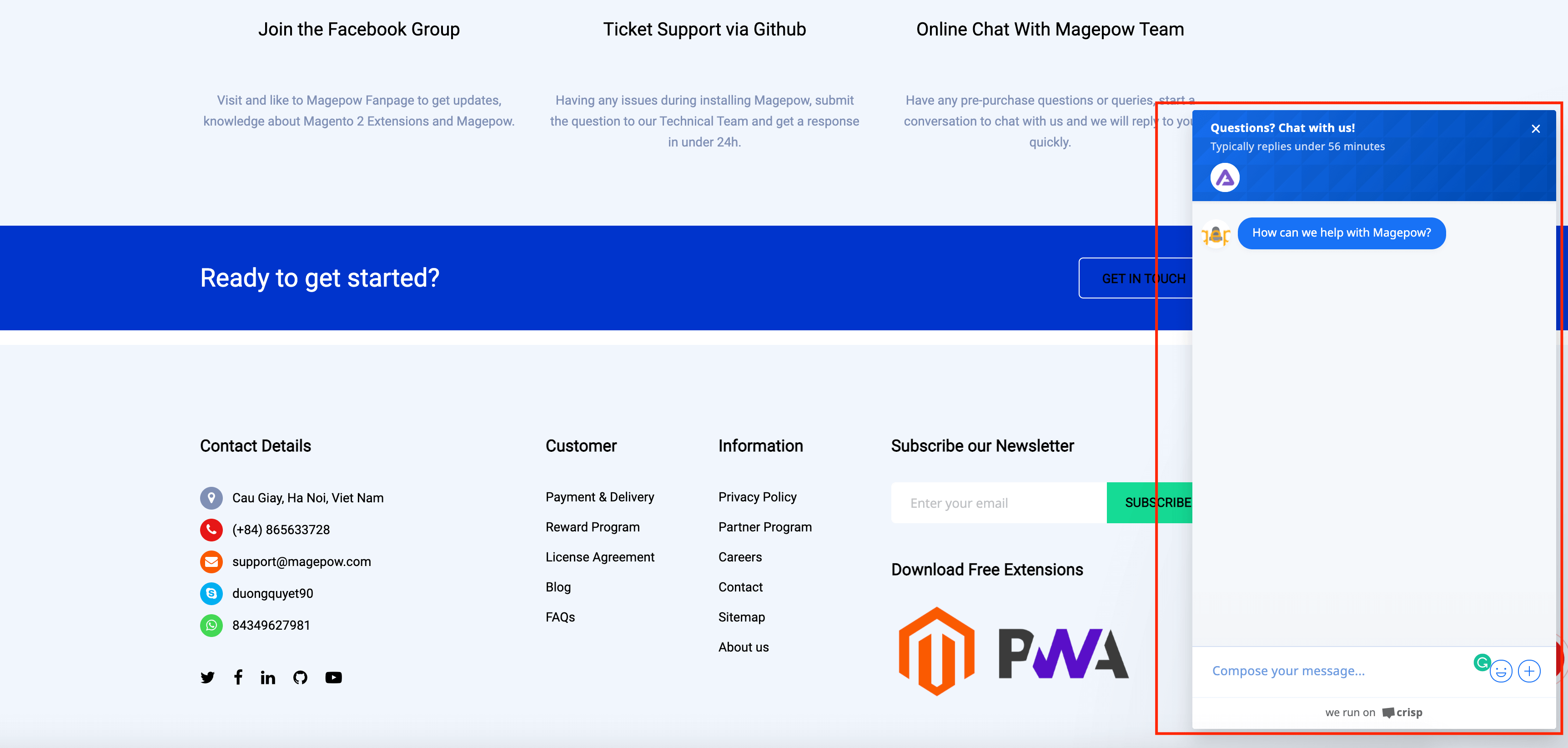
This Is Result In Frontend
Donation
If this project help you reduce time to develop, you can give me a cup of coffee :)
This content is fetched directly from the module's GitHub repository. We are not the authors of this content and take no responsibility for its accuracy, completeness, or any consequences arising from its use.