Build Tests
Code Quality
Release Discipline
Release history audited up to v1.1.6
Tested on Magento 2.4.9
Recent Test History
Each release is tested against the latest Magento version at that time.
Top Contributors
View Leaderboard
Share This Module's Status
README
Loaded from GitHub⚡ Cache Toolbar for Magento 2 and MageOS
Clear cache in one click — from any page, without navigating to System → Cache Management.
The problem
You save a config. Magento says "cache invalidated". You navigate to System → Cache Management. Select cache types. Click Flush. Go back to where you were.
That's 6 steps for something that should take 1.
The solution
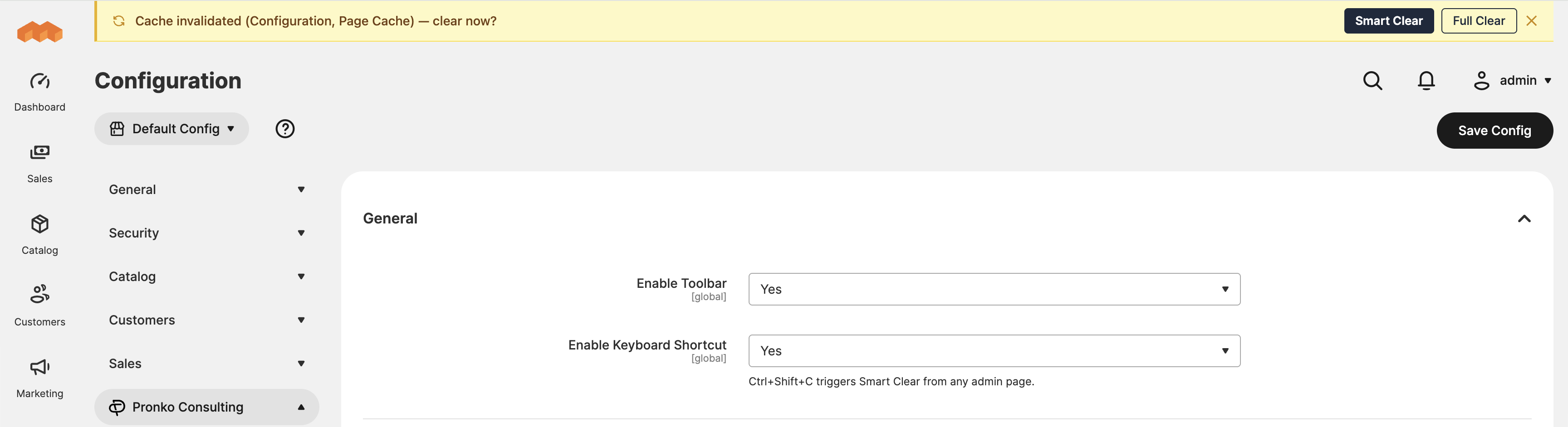
A smart status bar appears automatically when your cache is outdated — with a single Smart Clear button that clears the right types instantly, without leaving the page.
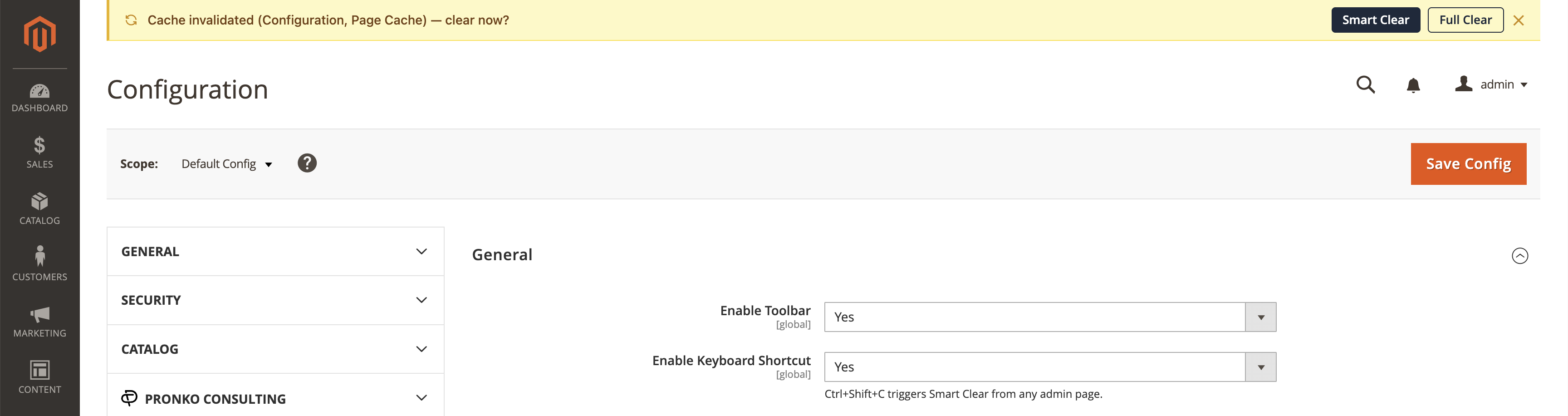
MageOS:
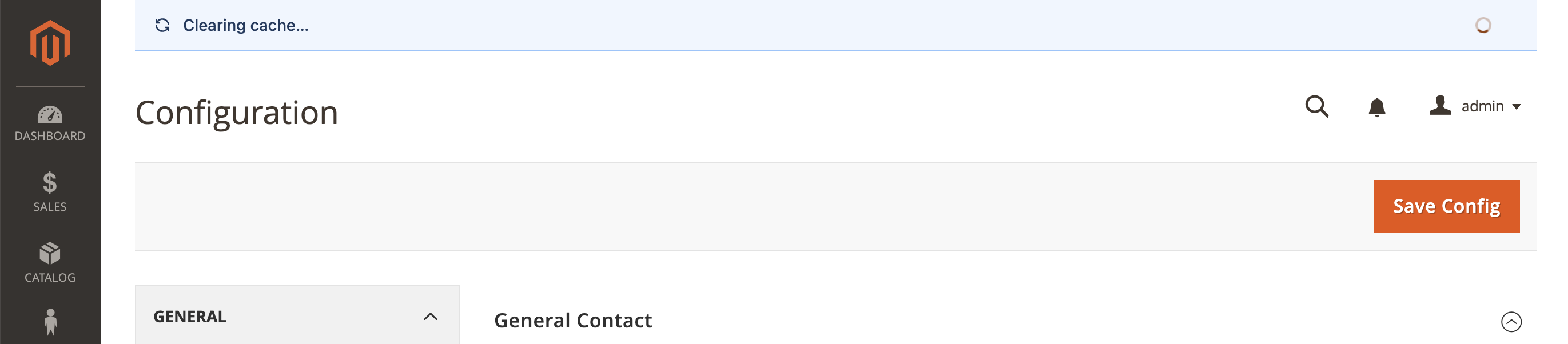
Clearing cache...
Cache cleared...

Magento's default "cache invalidated" system message is suppressed — no duplicate warnings.
Features
- Smart Clear — clears only the cache types that are actually invalidated, from your configured list
- Full Clear — clears all cache types and flushes the cache pool when you need a clean slate
- Zero-delay detection — cache status is checked server-side on every page load, bar renders immediately with no AJAX flicker
- Suppresses Magento's default warning — no more duplicate "Cache Types are invalidated" messages
- Keyboard shortcut —
Ctrl+Shift+Ctriggers Smart Clear from anywhere in the admin - Auto-dismiss — success message disappears after 3 seconds, stays out of your way
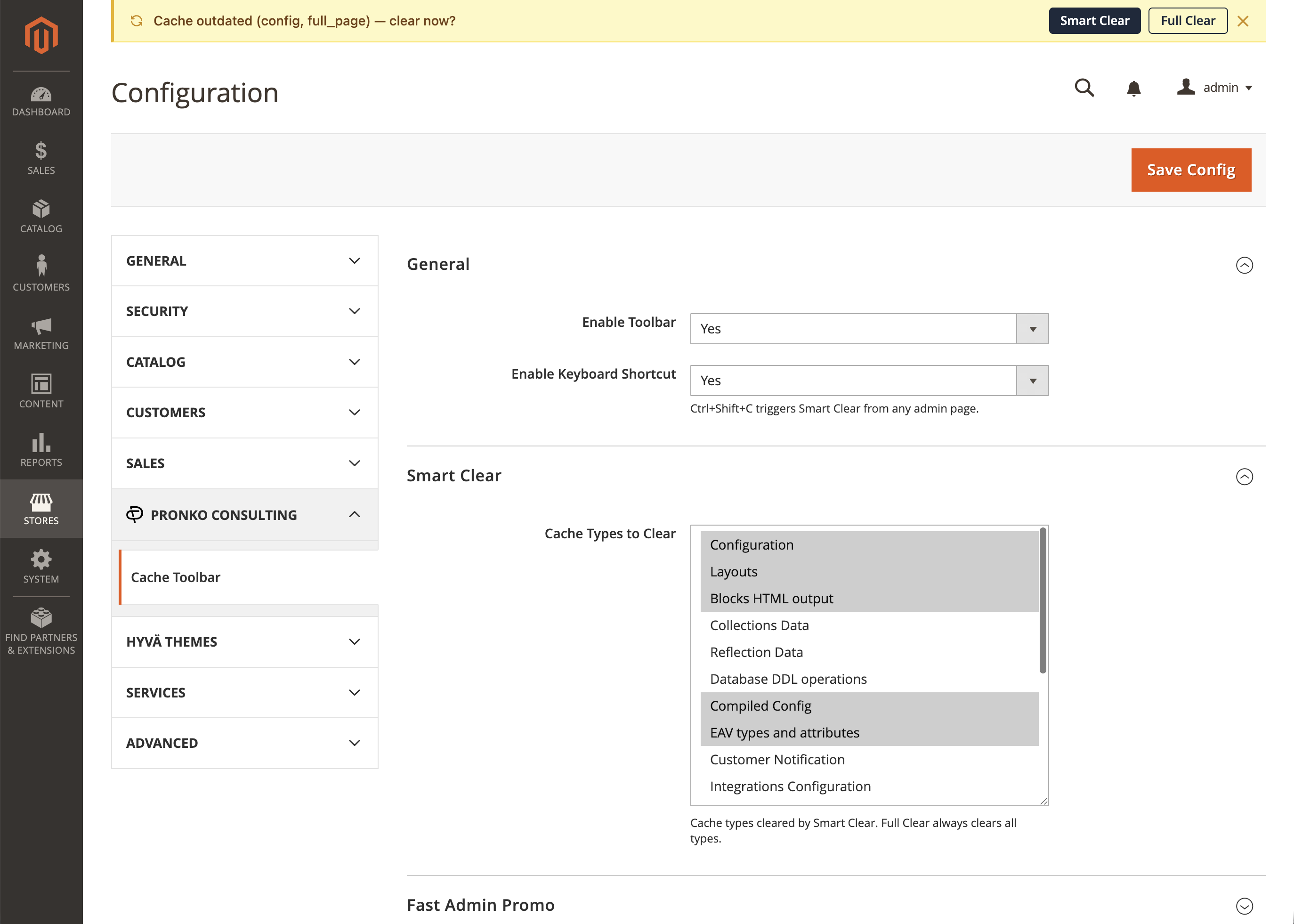
- Configurable — choose which cache types Smart Clear targets via Stores → Configuration
- ACL-aware — toolbar only renders for admin users with cache clear permission
- Accessible — toolbar message uses
aria-liveandrole="status"for screen reader support
Installation
composer require pronko/magento2-cache-toolbar
bin/magento module:enable Pronko_Core Pronko_CacheToolbar
bin/magento setup:upgrade
Configuration
Stores → Configuration → Pronko → Cache Toolbar
| Setting | Default | Description |
|---|---|---|
| Enable Toolbar | Yes | Show/hide the toolbar |
| Keyboard Shortcut | Yes | Enable Ctrl+Shift+C |
| Smart Clear Types | 7 types | Which cache types Smart Clear targets |
| Show Fast Admin Promo | Yes | Promotional banner (disable for client deployments) |
Configuration settings:
Compatibility
| Platform | Version |
|---|---|
| Magento Open Source | 2.4.4 — 2.4.x |
| Adobe Commerce | 2.4.4 — 2.4.x |
| MageOS | 2.4.6+ |
| PHP | 8.1, 8.2, 8.3, 8.4, 8.5 |
Smart Clear vs Full Clear
| Smart Clear | Full Clear | |
|---|---|---|
| Which types | Invalidated types from your configured list | All registered cache types |
| Cache pool flush | No | Yes |
| CLI equivalent | cache:clean config full_page |
cache:flush |
| Use case | After a config save or deploy | When something is deeply wrong |
Promotional banner
This module ships with an optional promotional banner for Fast Admin — a faster Magento admin interface by Pronko Consulting.
The banner is fully optional — disable it at: Stores → Configuration → Pronko → Cache Toolbar → Show Promo Banner → No

The banner is a static HTML element with a link. No analytics, no tracking, no external requests.
Requirements
- PHP 8.1+
- Magento 2.4.4+ / MageOS 2.4.6+
pronko/magento2-core^1.0 (installed automatically by Composer)
Contributing
Pull requests are welcome. For major changes, please open an issue first to discuss what you'd like to change.
License
Open Software License 3.0 (OSL-3.0)
This content is fetched directly from the module's GitHub repository. We are not the authors of this content and take no responsibility for its accuracy, completeness, or any consequences arising from its use.