Build Tests
Code Quality
Release Discipline
Release history audited up to v1.1.7
Tested on Magento 2.4.9
Recent Test History
Each release is tested against the latest Magento version at that time.
Top Contributors
View Leaderboard


Share This Module's Status
README
Loaded from GitHubClean Admin Menu - Magento 2 Extension
Overview
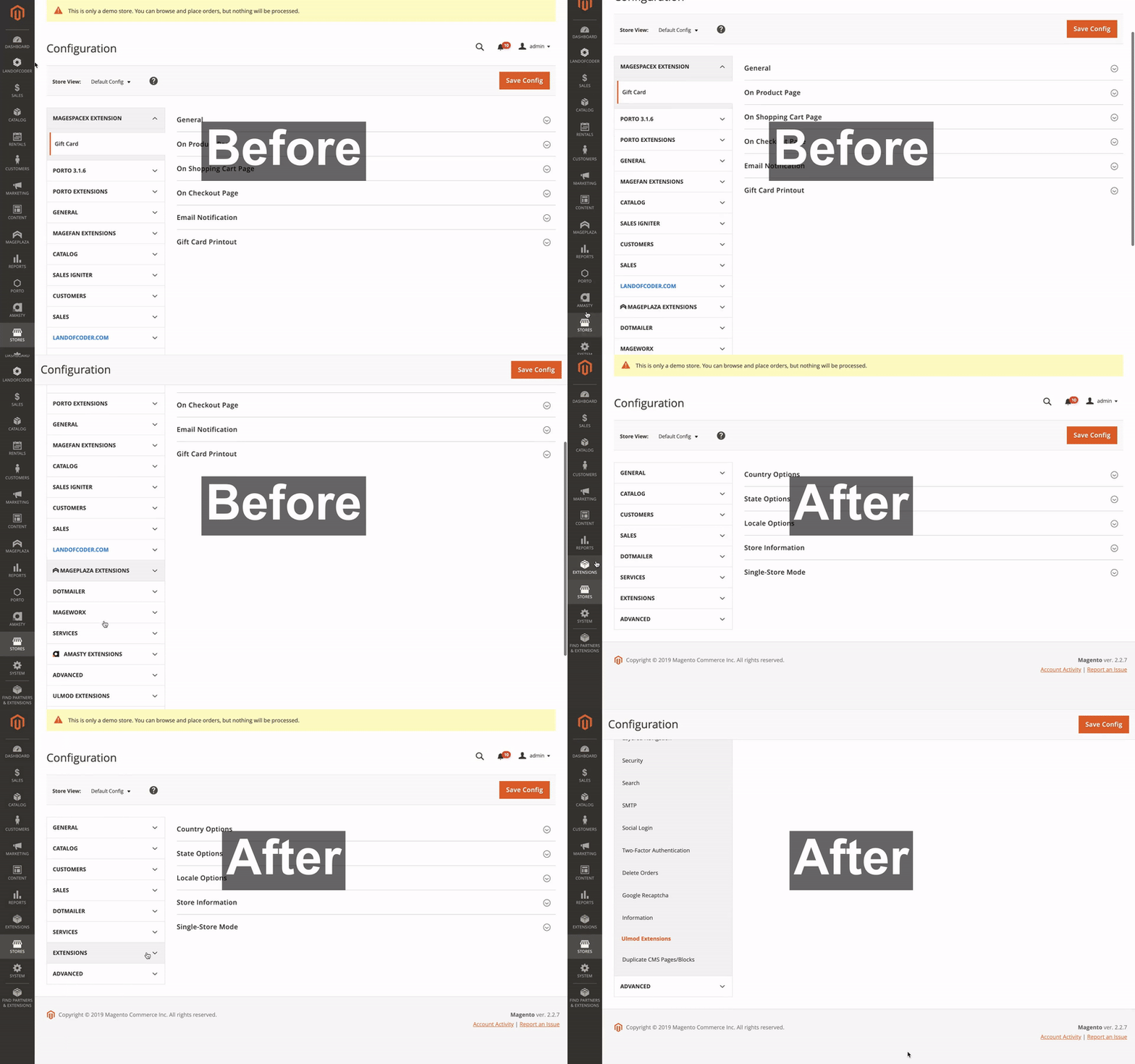
Clean Admin Menu is a Magento 2 extension that organizes and simplifies your admin panel by consolidating third-party extension menus. It follows Magento's best practices for admin menu organization by:
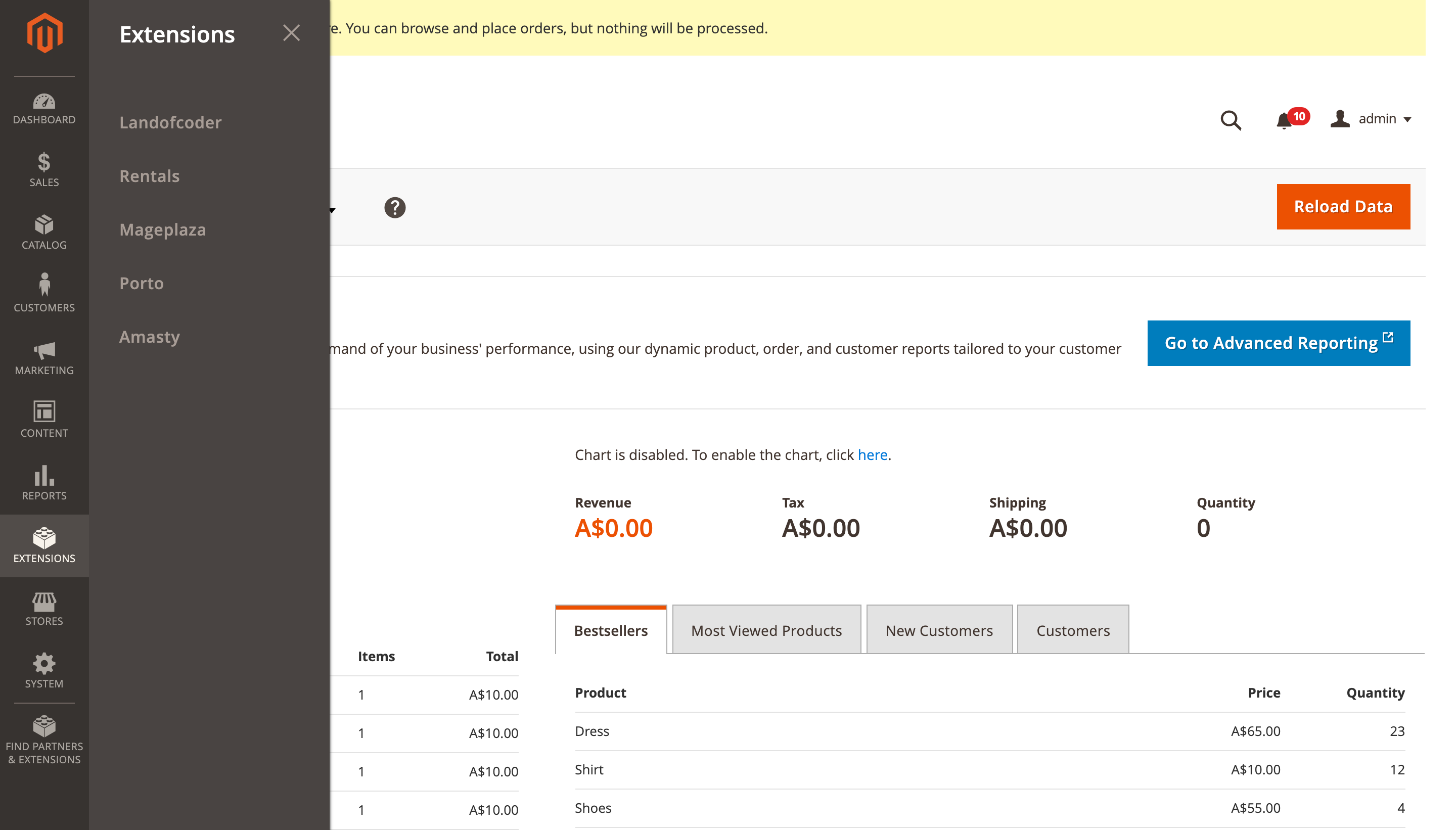
- Merging all third-party extension menu items into a single "Extensions" menu item in the backend's primary navigation
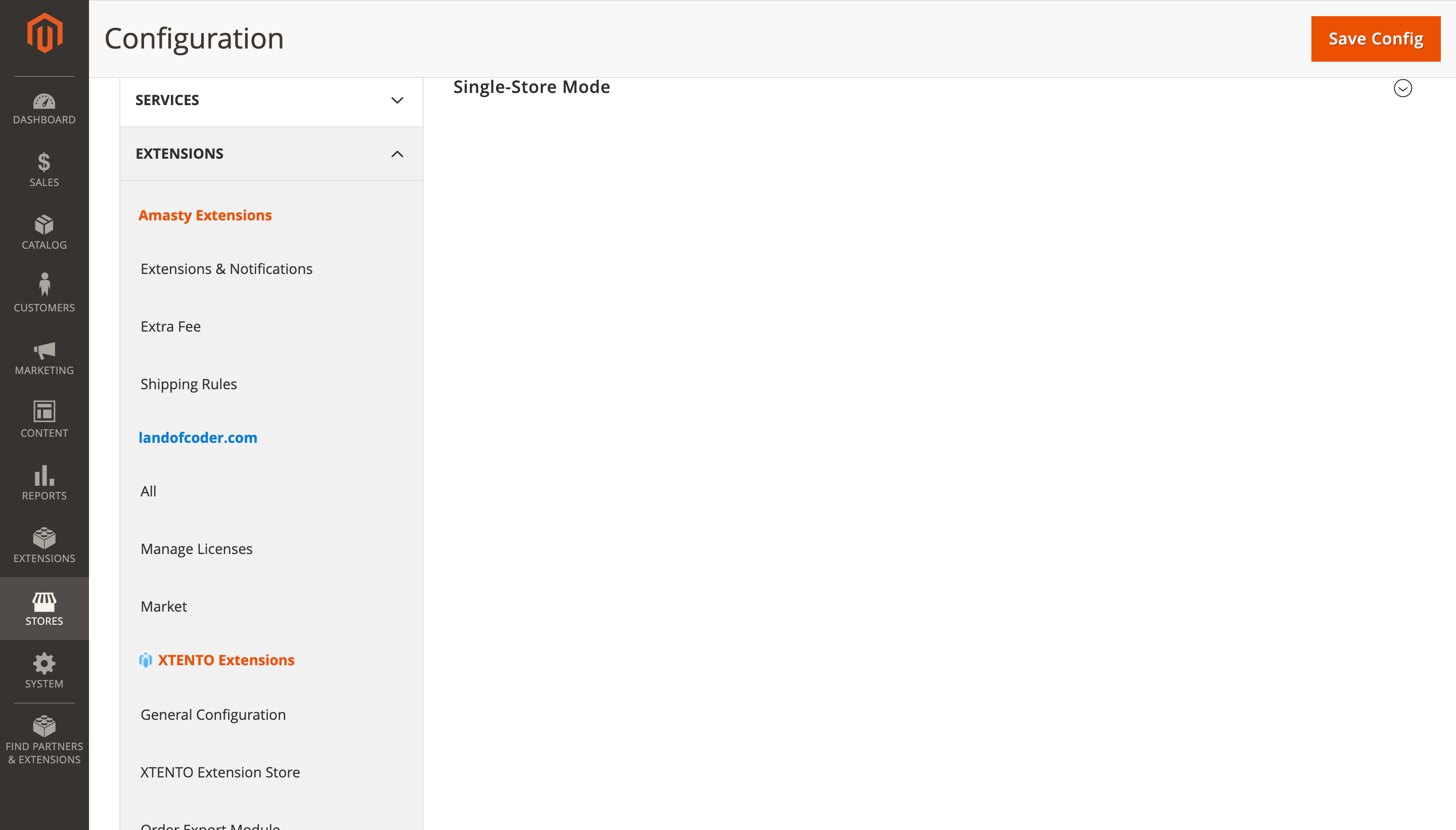
- Consolidating third-party extension configuration tabs under
Stores > Configurationinto a single "Extensions" tab - Placing the consolidated "Extensions" tab after native Magento tabs
This organization aligns with Magento's official Admin Best Practices for feature-level extensions.
Features
- Consolidates all third-party extension menus into a single "Extensions" section
- Organizes extension configuration settings under a unified tab
- Follows Magento's recommended admin menu structure
- Customizable menu organization through admin configuration
- Compatible with Magento 2.4.0 through 2.4.8+
Installation
Install via Composer:
composer require redchamps/module-clean-admin-menu
After installation:
- Run
bin/magento setup:upgrade - Run
bin/magento setup:di:compile - Run
bin/magento cache:clean
Configuration
Access the extension settings at:
Stores > Configuration > Extensions > RedChamps > Clean Admin Menu
Available Settings:
- Menu organization preferences
- Configuration tab placement
- Developer tools for custom menu ID management
Visual Examples
Main Navigation
Extensions Configuration
Before and After Comparison
Troubleshooting
If any extension menu item is not automatically moved under the "Extensions" menu:
- Navigate to: Stores > Configuration > Extensions > RedChamps > Clean Admin Menu > Developer Tools
- Find the menu ID of the extension that needs to be moved
- Add the menu ID to the "Move Menu ID's" setting
Requirements
- Magento 2.4.0 or higher
- PHP 7.4 or higher
Support
Authors
License
This project is licensed under the MIT License - see the LICENSE file for details.
More Extensions
Visit our store for more free and paid Magento 2 extensions.
This content is fetched directly from the module's GitHub repository. We are not the authors of this content and take no responsibility for its accuracy, completeness, or any consequences arising from its use.