Stable
v2.0.0
MIT
5,507
Downloads
Below average
20
GitHub Stars
Below average
5mo ago
Last Release
0
Open Issues
Build Passing
Ready to install
Build Tests
Composer Install
DI Compile
Templates
Code Quality
Release Discipline
Release history audited up to v2.0.0
Tested on Magento 2.4.9
Recent Test History
Each release is tested against the latest Magento version at that time.
v2.0.0
on Magento 2.4.9
GitHub Repository
Source code & docs
Packagist
Version history
Issues & Support
Get help or report bugs
Top Contributors
View Leaderboard
Share This Module's Status
README
Loaded from GitHubMagento 2 - Disable add to cart button for guest
Overview
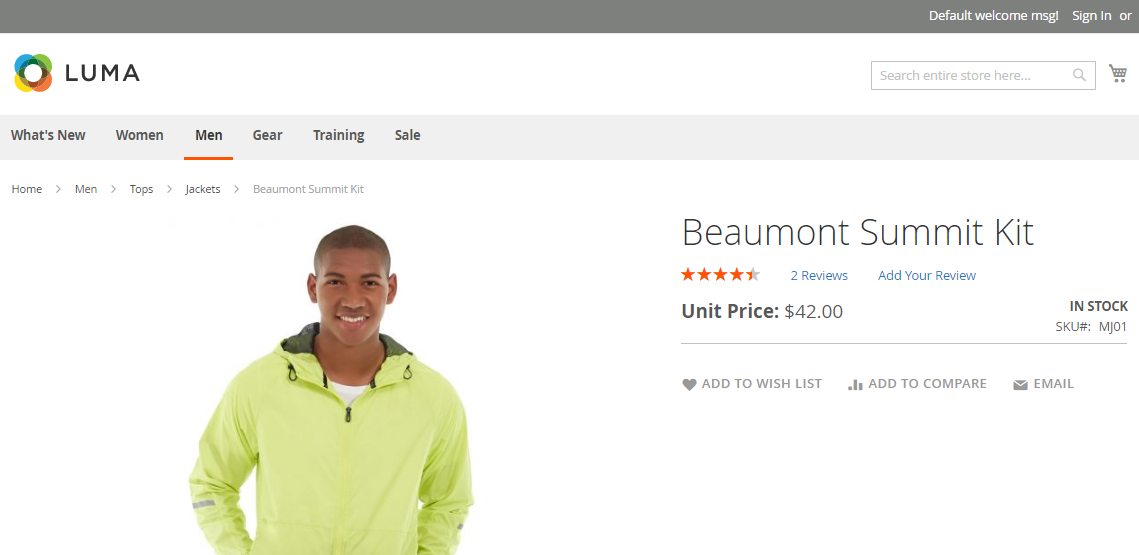
This module enables the possibility to disable the Add to Cart button on product and category pages for customers who are not logged in. It is useful for B2B stores where guest users should not be able to add products to the cart.
Compatibility
| Module version | Magento version | PHP version |
|---|---|---|
| 2.0.x | 2.4.6 – 2.4.8 | 7.0 – 8.4 |
| 1.0.x | 2.1 – 2.3 | 7.0 – 7.2 |
Installation
composer require sbodak/magento2-b2b-disable-add-to-cart-button-for-guest
php bin/magento module:enable Bodak_DisableAddToCart
php bin/magento setup:upgrade
php bin/magento cache:clean
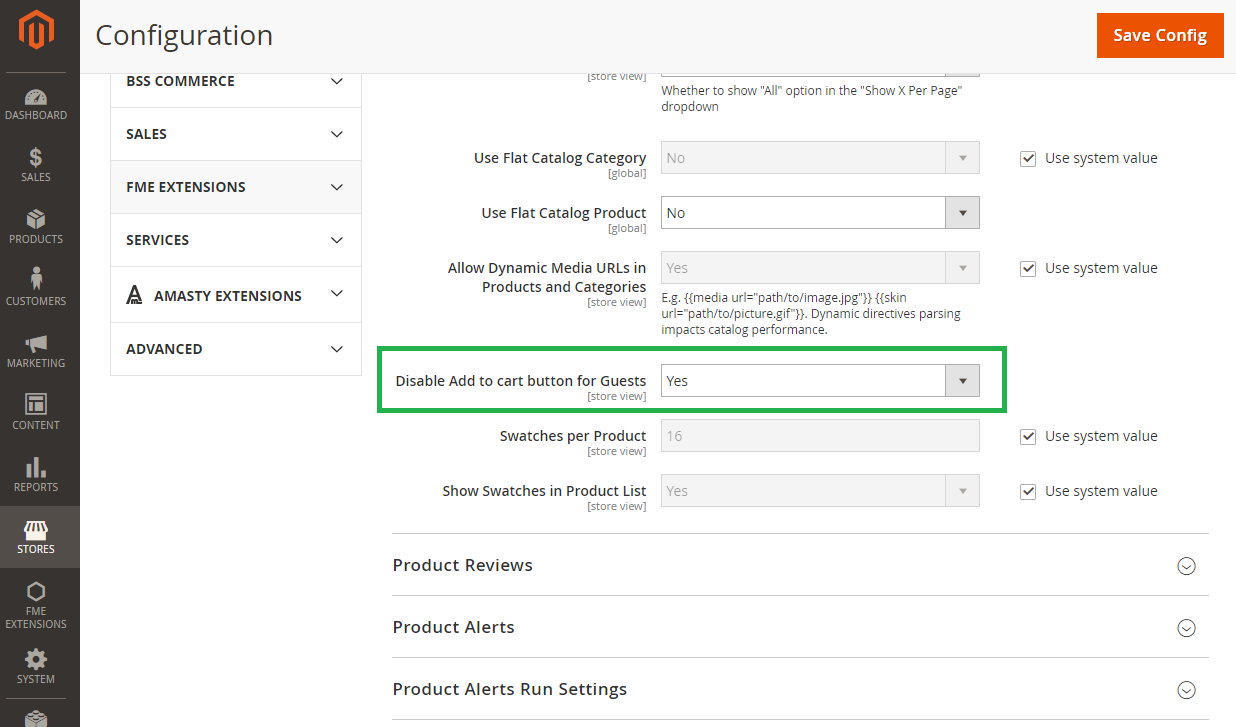
Configuration
- Go to the Magento admin interface.
- Navigate to Stores > Configuration > Catalog > Catalog.
- Under the Storefront tab find the Disable Add to cart button for Guests option.
- Set it to Yes to activate the plugin.
Module configuration — administration panel
Removed Add to Cart button in catalog — frontend view

Removed Add to Cart button on product page — frontend view
Running tests
composer install
vendor/bin/phpunit
Uninstall
composer remove sbodak/magento2-b2b-disable-add-to-cart-button-for-guest
Changelog
See CHANGELOG.md.
License
This content is fetched directly from the module's GitHub repository. We are not the authors of this content and take no responsibility for its accuracy, completeness, or any consequences arising from its use.